How can I quickly manage my server status without entering the administration menu?


You can quickly manage your server status if you need to perform an immediate process without having to access the detailed VPS administration menu. From this general section, you can execute the following actions:


1. Log in to your control panel using the credentials sent by email.



acces.png


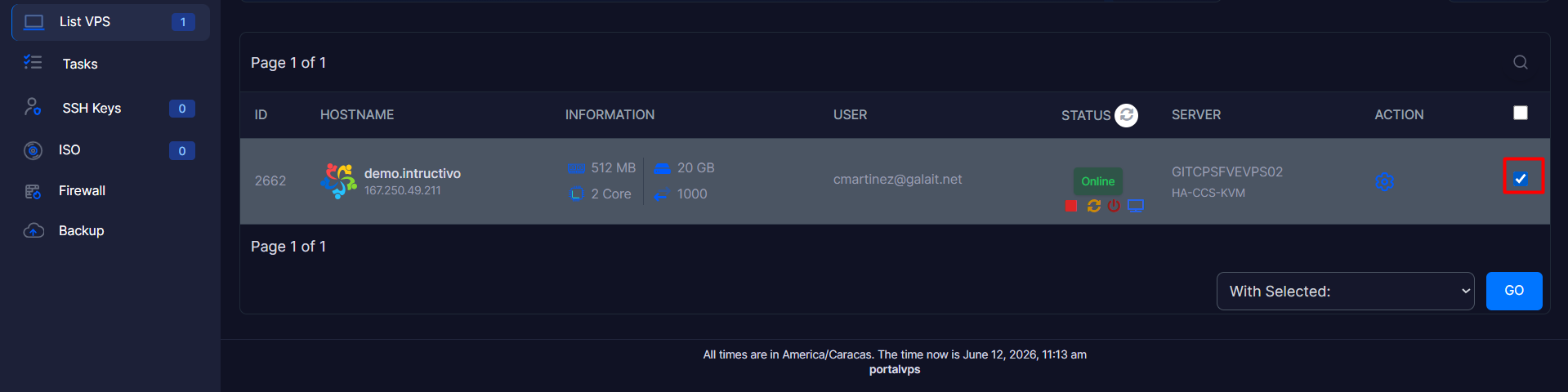
2. Locate your VPS in the main list and check the selection box on the far right of the corresponding row.


list.png


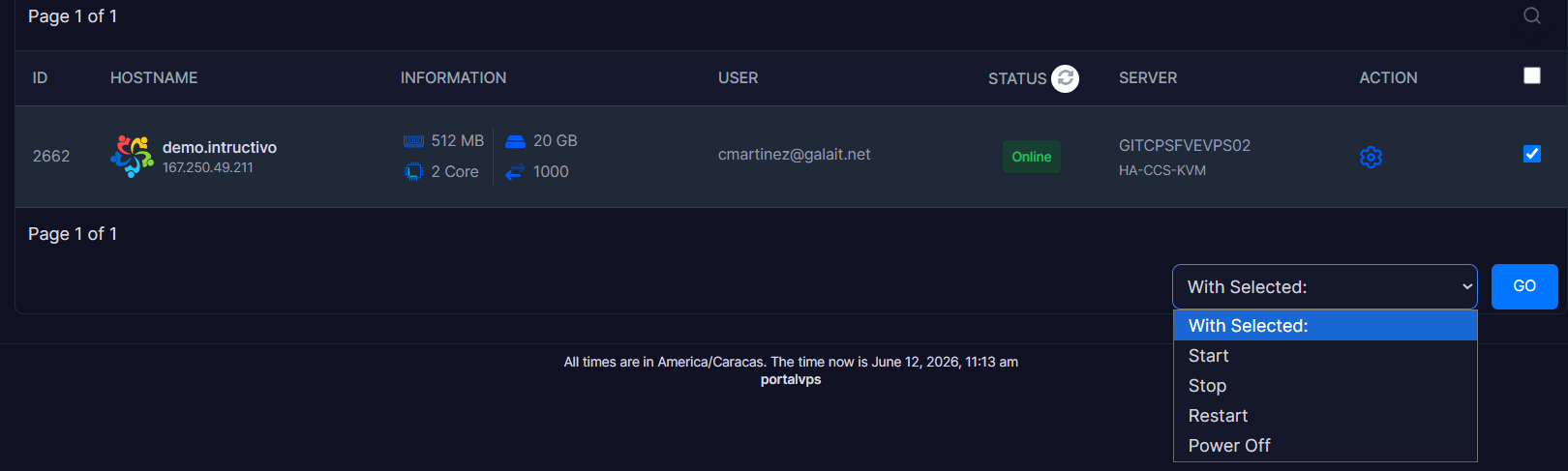
3. Go to the bottom right corner and click on the "With Selected:" dropdown menu.
 
list2.png
 
 
4. Select the command you wish to apply:
 
 
• Start: Immediately activates and boots up the server.
 
 
• Stop: Performs a safe and orderly shutdown of the operating system.
 
 
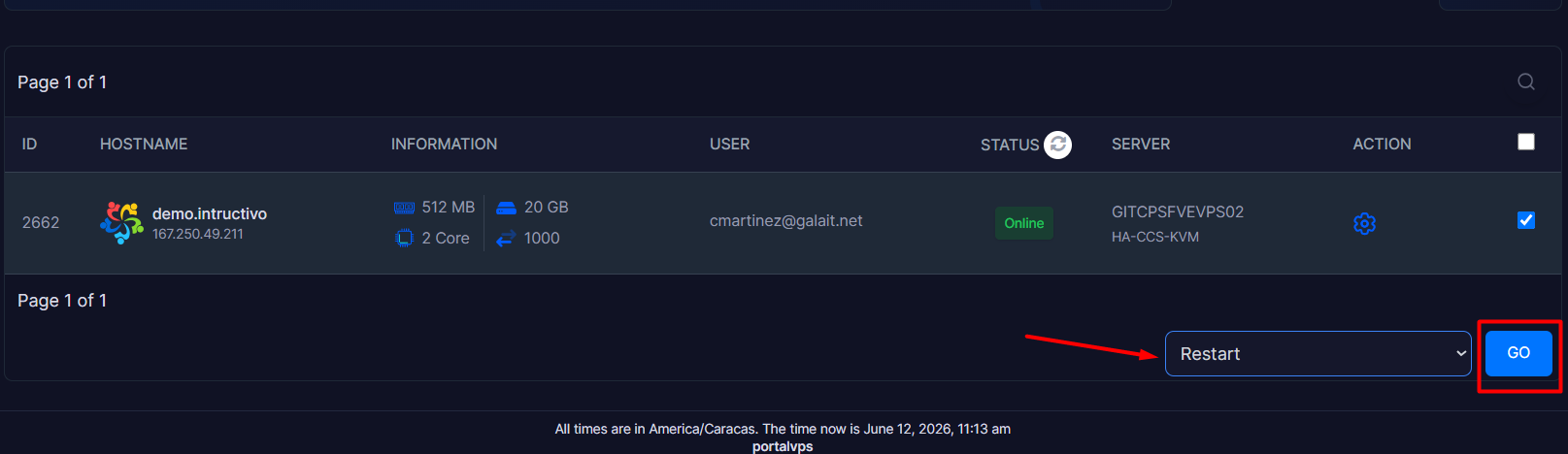
• Restart: Applies a quick reboot to refresh configurations.
 
 
• Power Off: Executes an instantaneous power cut (forced shutdown).
 
 
list3.png
 
 
5. Click the blue "GO" button to send the instruction to the server.


Note: Command execution usually takes a few minutes to reflect on the status indicator.

  • 0 Users Found This Useful
Was this answer helpful?

Related Articles

How can I change the host name (Hostname) of my VPS?

    The hostname is the unique identification label of your virtual server. If you need to...

How can I change the administration password of my VPS?

  For security reasons, it is essential to periodically update your server's access password....

How can I modify the system settings (VPS Configuration) of my VPS?

The advanced configuration module allows you to manage essential parameters of your server's...

How can I change the VNC connection password?

      The VNC password is a security layer independent of your operating system's internal...

How can I access my VPS via VNC?

  VNC (Virtual Network Computing) access is an emergency remote management tool. Unlike...