


The General Settings section is the operational core of your site, allowing you to define your identity, access, and localization. Below is the management workflow based on the technical configuration:
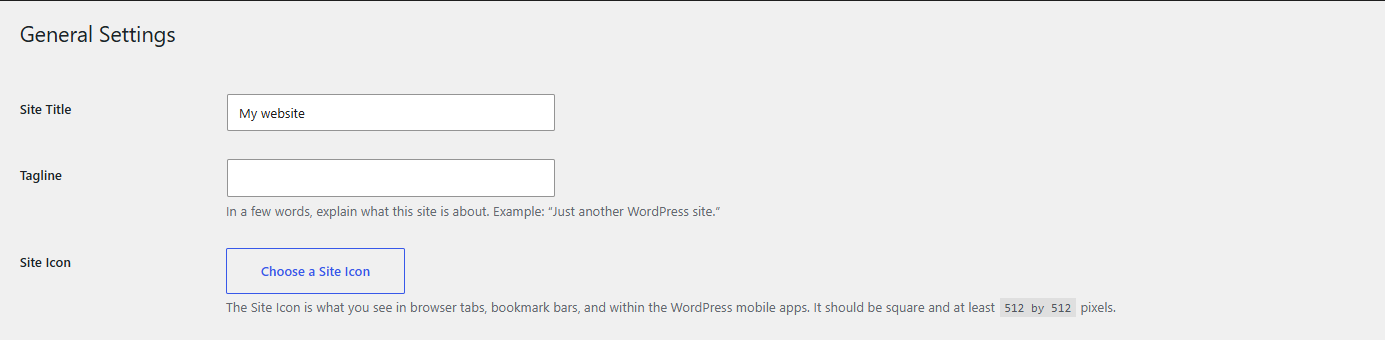
- Site Identity: Define the "Site Title" and a "Tagline" that summarizes your project's value proposition. Additionally, you may establish a "Site Icon" (favicon), which should be square and have minimum dimensions of 512 x 512 pixels.
2. URL Configuration: Ensure the integrity of the "WordPress Address" and "Site Address" paths. This parameter is critical for the correct routing of traffic to your installation.

3. Account Management: Configure the administrative email address for critical notifications and define registration policies, including the "New User Default Role" for users joining the platform.

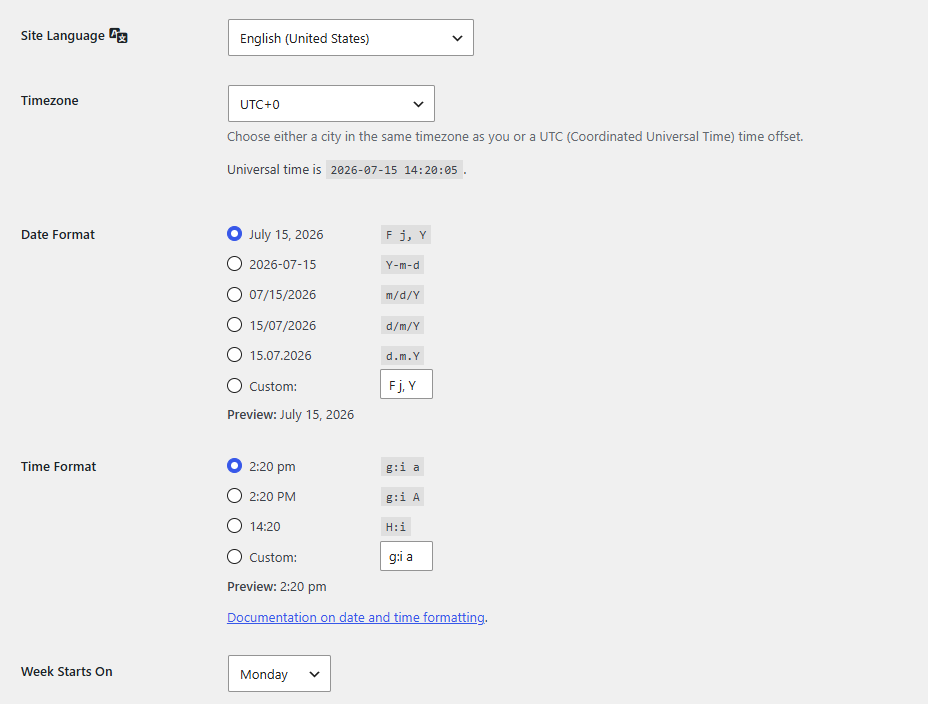
4. Localization and Format: Establish the "Site Language" and adjust the "Timezone" according to your geographical location to ensure precision in content publishing. Additionally, you may customize the "Date Format" and "Time Format," as well as define the start of the work week (e.g., Monday).
Security Notes:
• Any modification made to the "Administration Email Address" will require external confirmation; the change will not be effective until verified through the link sent to the new address.
• To implement any adjustments made in this panel, it is imperative to click the "Save Changes" button located at the bottom of the interface; otherwise, settings will revert to their previous state.
• It is recommended to verify that the selected "Timezone" matches your infrastructure's local time to avoid discrepancies in task automation and scheduled posts.
