How to perform bulk modifications on multiple accounts in WHM?

 
The Modify/Upgrade Multiple Accounts function in WHM is the ideal tool for efficiently standardizing configurations. It allows you to apply simultaneous changes to a group of domains, ensuring they all share the same management attributes.
 

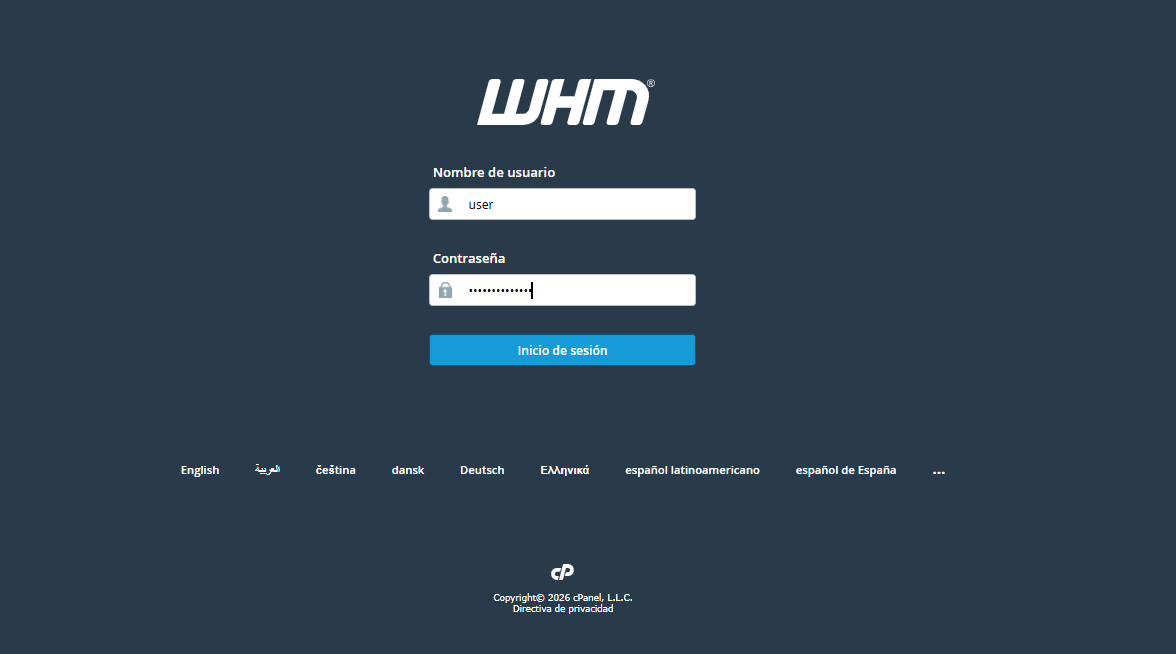
1. Log in to your WHM panel using your Reseller credentials.
 

whmc.png


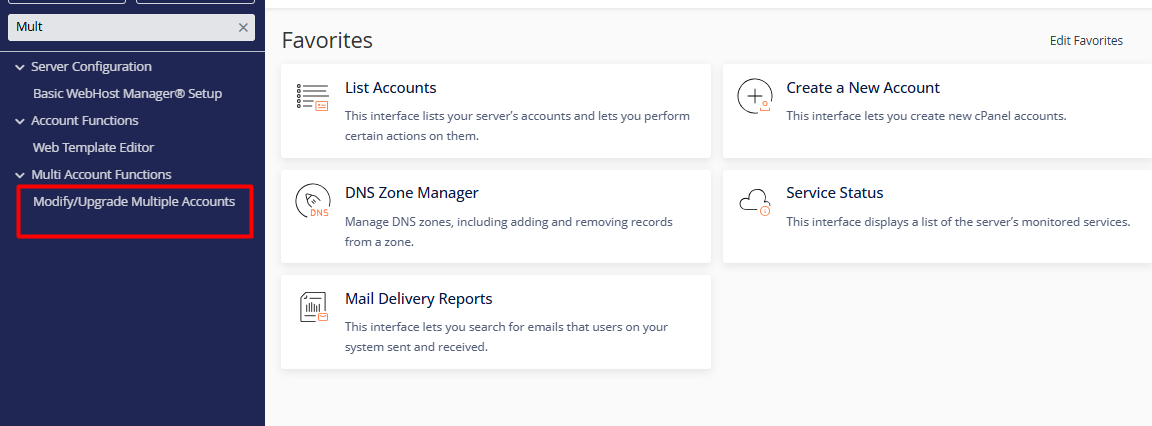
2. Navigate to the Multi Account Functions menu and click on Modify/Upgrade Multiple Accounts.


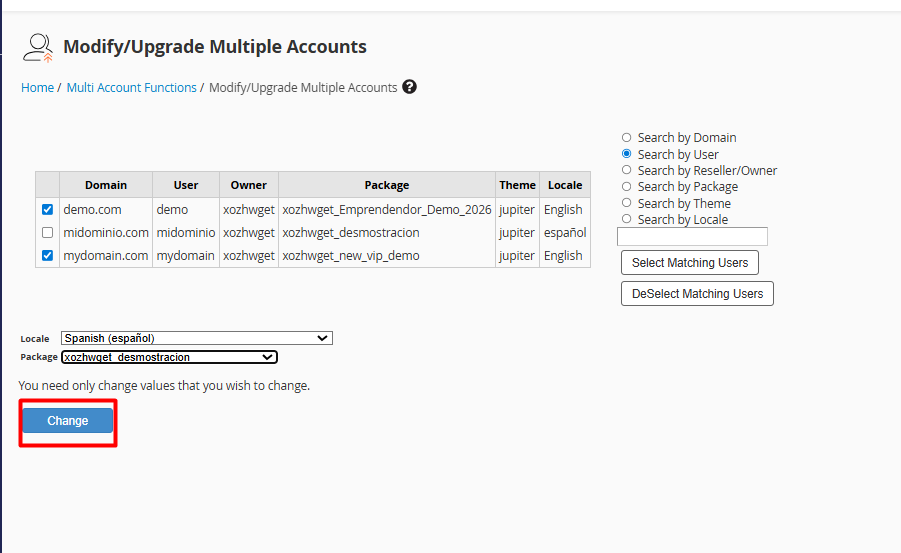
3. Select the accounts by checking the boxes for the domains or users you wish to process from the list.


4. Define the global parameters in the bottom section to be applied to the selection:


4.1. Package: Assign a new resource plan.


4.2. Locale: Update the default interface language.


4.3. Theme: Change the visual appearance (e.g., transitioning to the Jupiter interface).
 

whmc16.png


5. Apply changes: Once you have verified the settings, click the Change button. The system will automatically process the update for all selected accounts.

 
Security Notes:


•  Uniformity Effect: Please note that this action overwrites previous settings, applying an identical configuration to all selected accounts.


•  Individual Management: If your goal is to adjust disk quotas or bandwidth for a single user, we recommend using the Upgrade/Downgrade an Account option for more precise control.

 
  • 0 Users Found This Useful
Was this answer helpful?

Related Articles

How do I modify a cPanel account in my Reseller panel?

  The management and editing of cPanel accounts is centralized in the "Modify an Account" tool...

How to create a cPanel account in my Reseller account?

    There are two methods for creating a cPanel account for your clients, depending on the...

How to delete a cPanel account in my Reseller panel (WHM)?

    Deleting an account in WHM is a permanent procedure known as "Terminate an Account." By...

How to manage cPanel account password changes via WHM

  If you need to restore access or reinforce the security of a specific client account, WHM...

How can I view the list of accounts in WHM?

  To manage and view the cPanel accounts hosted on your server, the WHM (WebHost Manager) panel...