


The integration of Google's artificial intelligence suite (Gemini for language processing and Imagen for visual generation) allows you to automate the creation of high-value content directly from your dashboard. Accessing Google's AI infrastructure requires a custom API Key, which acts as your secure access key. If you have already created one, you can proceed directly to your WordPress admin panel; otherwise, you can create it by following these steps:
1. Go directly to the official Google AI Studio website to log in. If this is your first time logging in, complete the sign-up process by validating and accepting the platform's usage policies. Thoroughly review the terms of service to understand the exact operational scope, limitations, and permitted practices within the tool.
2. Select your Google Cloud project (or create a new one if necessary).
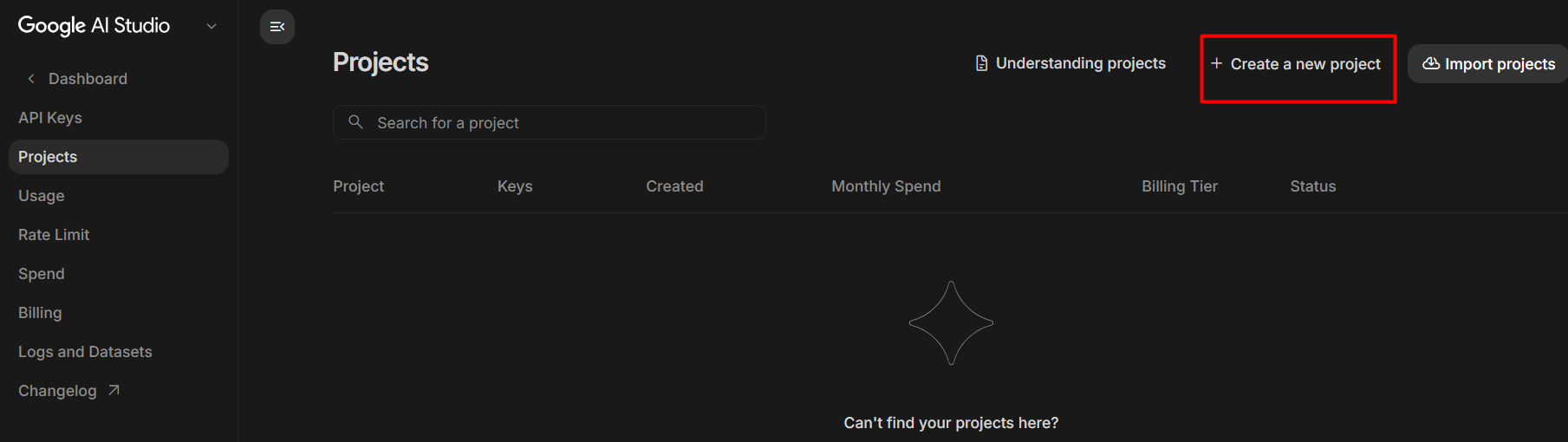
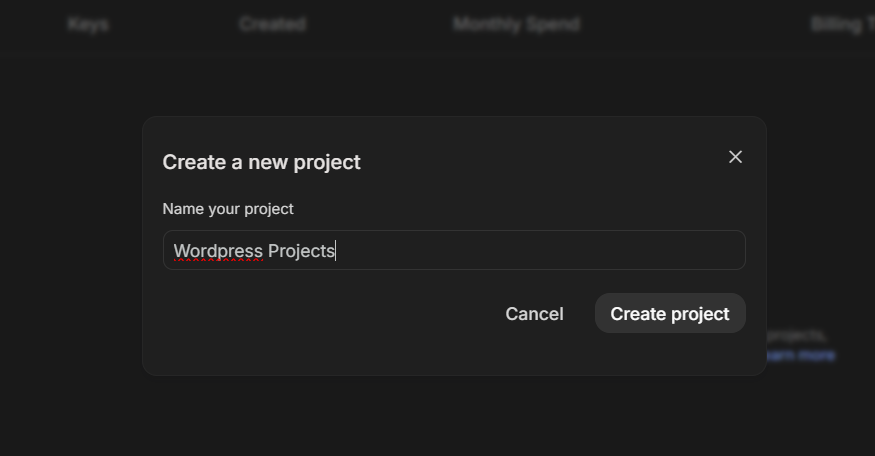
3. Generate your key by clicking on "Create API Key".
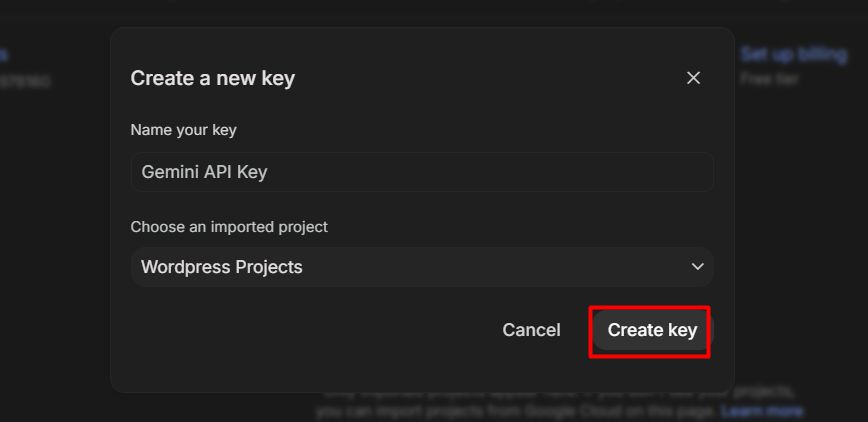
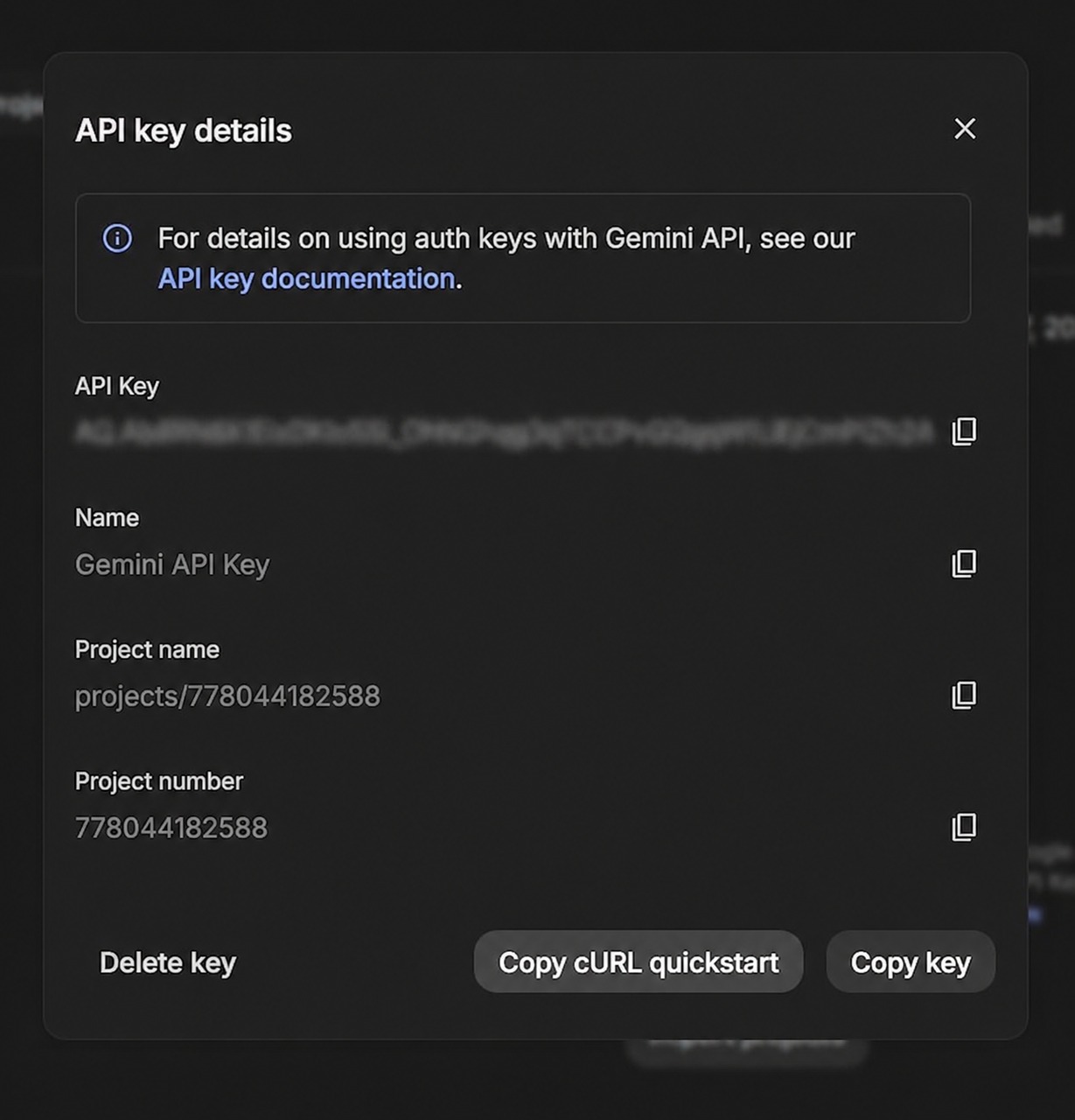
4. Once you have obtained your credential, follow these essential steps to activate the connector on your platform:
4.1. Go to the admin menu under Settings > AI Connectors.
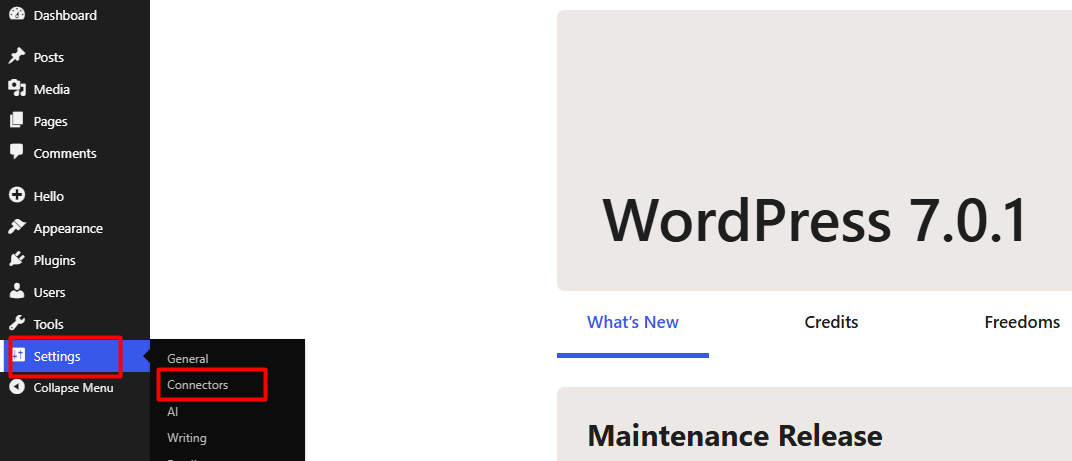
4.2. To integrate and optimize your platform, locate the integrations section, select Google from the list of available providers, install the connector, and finish by adding the AI plugin from the extensions directory. This will automate data synchronization and power up your workflows.
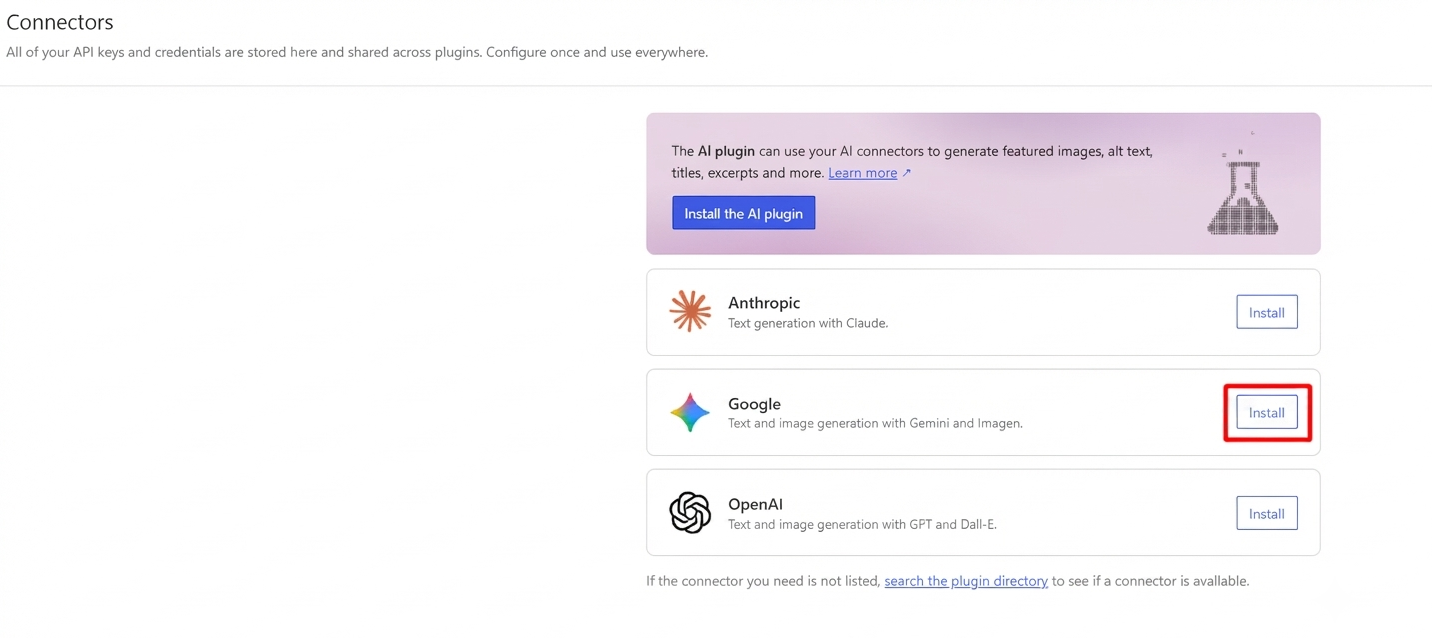
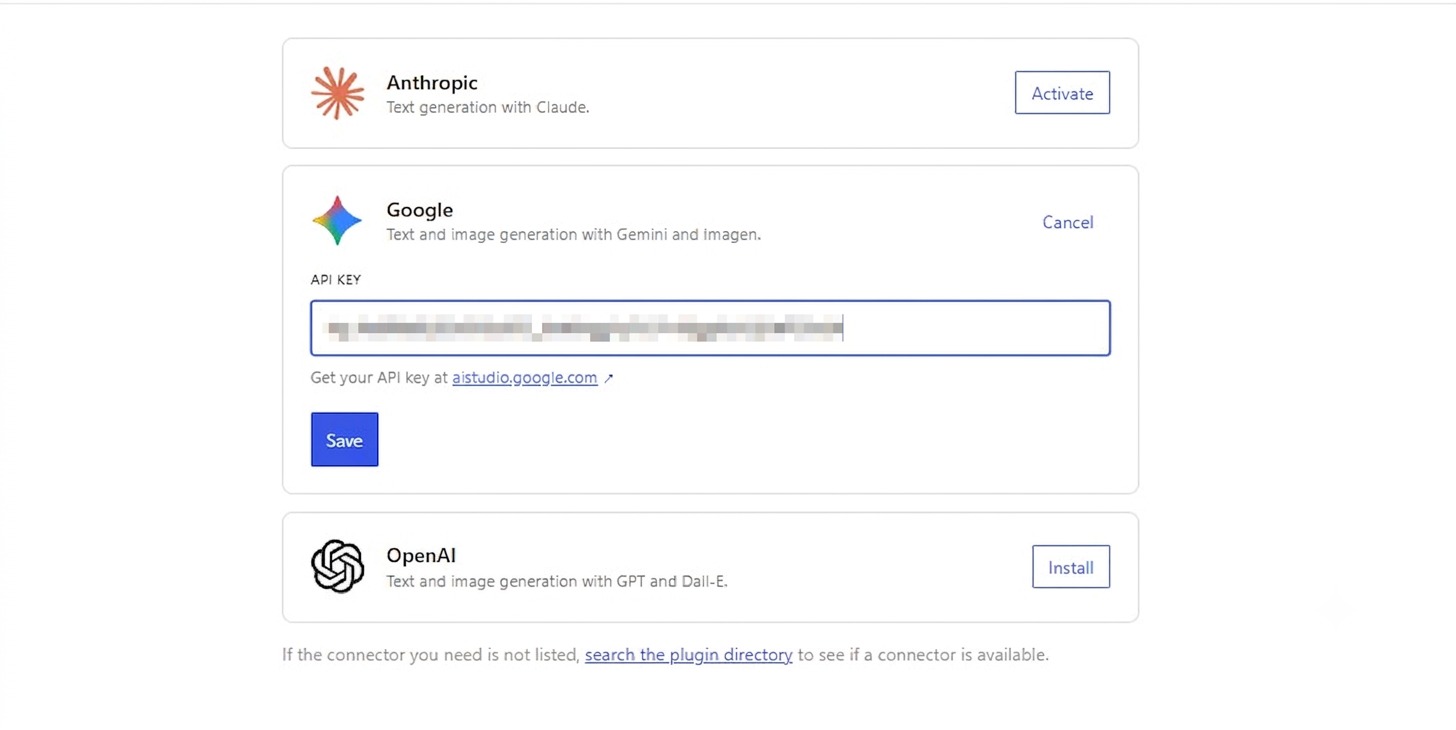
4.3. Enter your API Key in the corresponding field and save the changes.
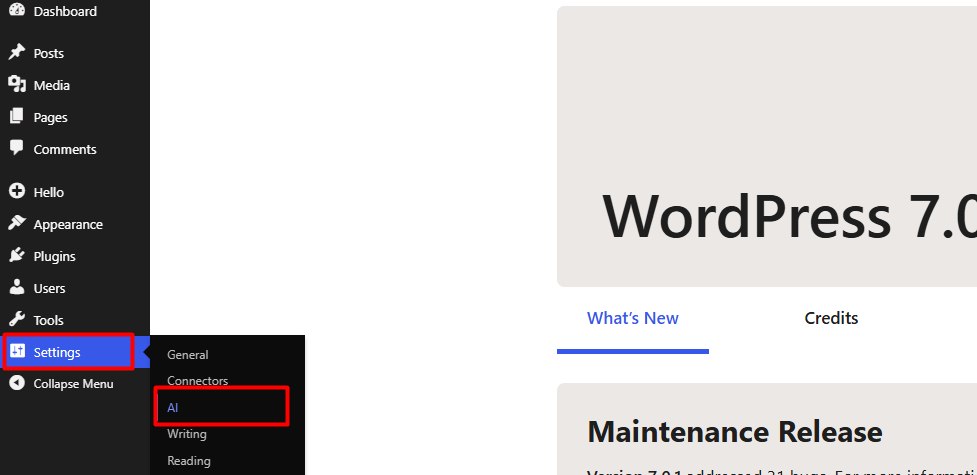
5. Once the previous step is complete, return to the Settings menu and select the AI module to finalize the process.
6. By default, this section is disabled. To begin, switch the status to Enabled. This will display the configuration options for your WordPress site, which are divided into the following three main blocks:

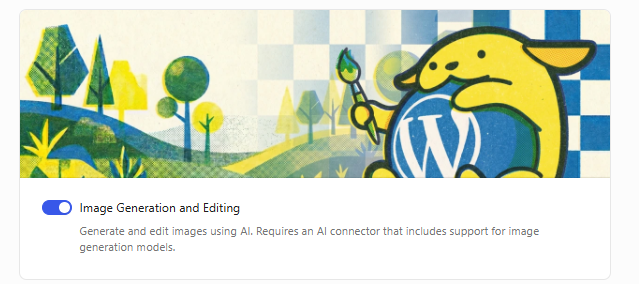
6.1. Image generation and editing:
• Allows you to create and modify visual content using AI.
• Requires a connector compatible with image generation models.
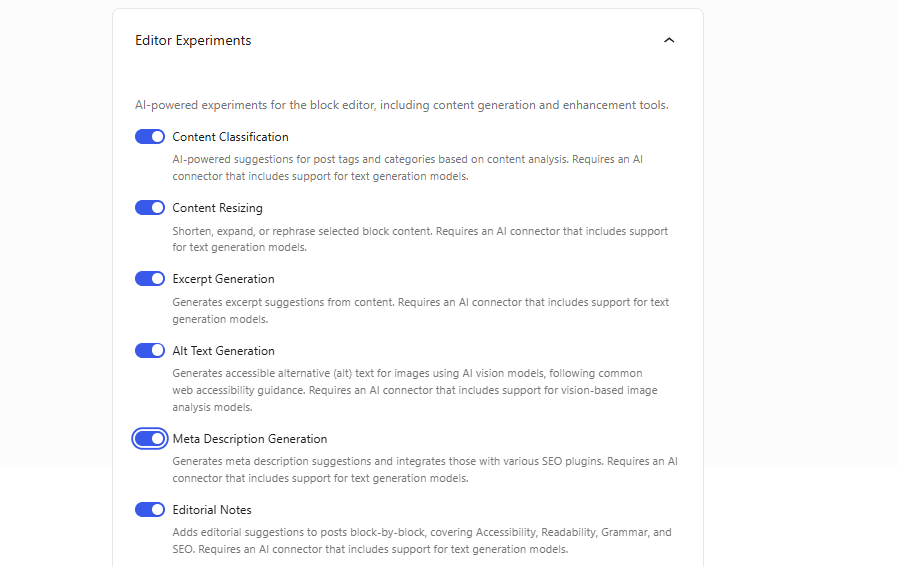
6.2. Editor experiments:
• Optimizes content creation directly within the editor.
• Includes: Content classification, Alt text generation, Content summary, Title generation, and Autocomplete text.
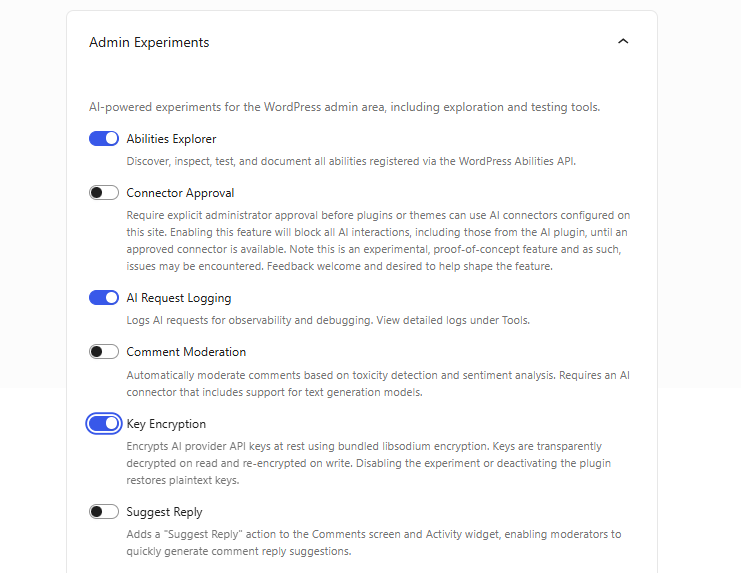
6.3. Administration experiments:
• Improves the internal management of the website.
• Includes: Skill explorer, Connector approval, and Suggest response.
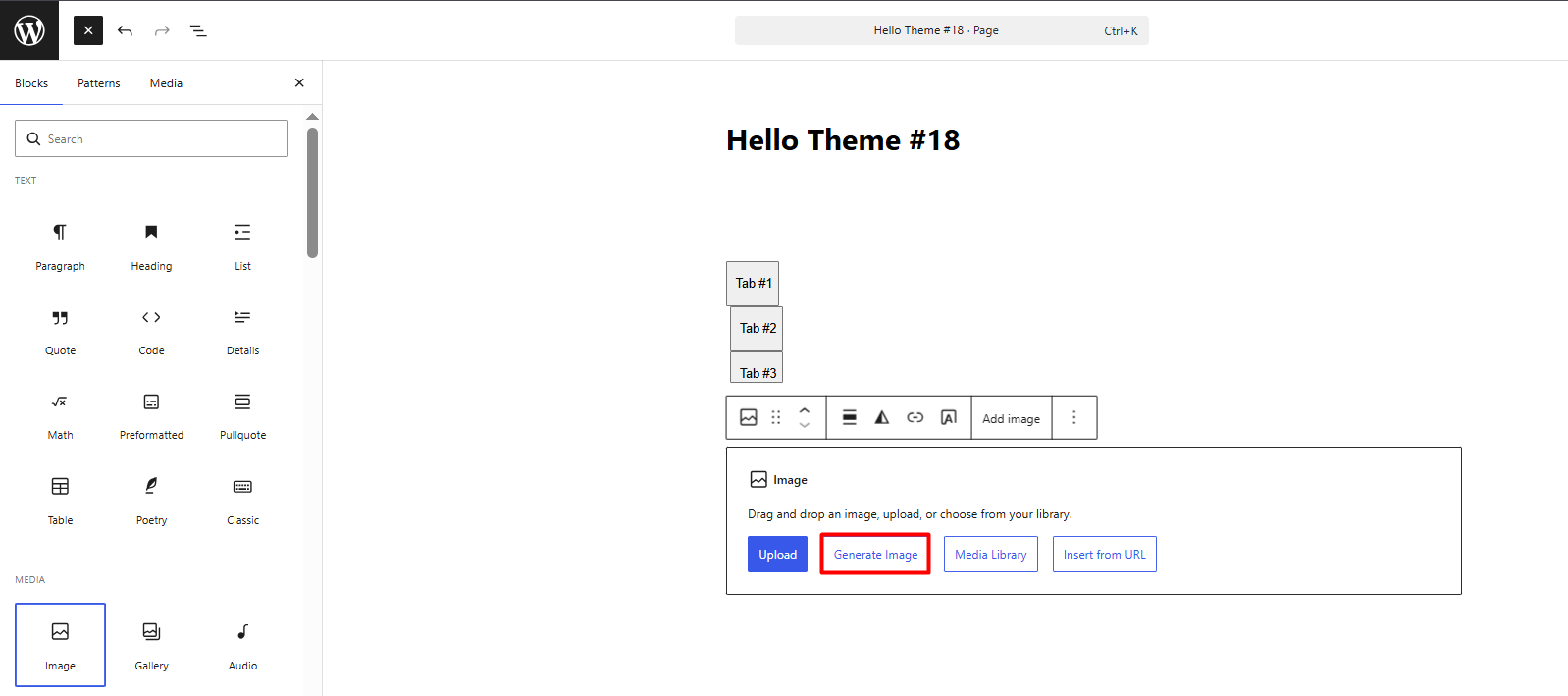
7. Once the previous steps are completed, the Artificial Intelligence tools will be ready to optimize your website. To confirm that the installation was successful, simply go to the admin panel, open any post or section to edit, and you will see that the new AI features are already active in the editor.
Informative Note on AI Costs and Usage:
• Google AI Studio allows you to use the Gemini Flash and Gemini Flash-Lite models for free under a set daily quota. (This is recommended for development phases, technical testing, and websites with initial or moderate traffic.)
• Once your site exceeds the free quotas or requires access to advanced models (such as Gemini Pro), the service switches to a pay-as-you-go pricing model.
• Unlike text, image generation with Imagen 4 operates almost exclusively under the pay-as-you-go model, with prices varying according to the selected quality (Fast, Standard, or Ultra).
Security and Optimization Notes:
• All requests must be processed server-side. This prevents exposing your API key in the client's browser and ensures a robust working environment.
• Google operates under a consumption-based model. It is recommended to set up quota limits and budget alerts in your Google Cloud console to maintain absolute control over resource usage.
• You can activate the tools individually according to your needs, or press the "Enable all" button within each block to activate them in bulk.
• For best results, use structured prompts (context + task + style). For example: "Generate a technical description focused on infrastructure services for our catalog, maintaining a professional and persuasive tone."
• Store this key in a secure environment. Do not share or publish this credential, as it is the exclusive gateway to your contracted resources.
