


Elementor is the leading tool for visual web interface design, allowing you to transform the appearance of your site without requiring advanced programming knowledge. Follow this protocol to implement the builder and begin editing your theme:
1. Log in to your WordPress control panel.
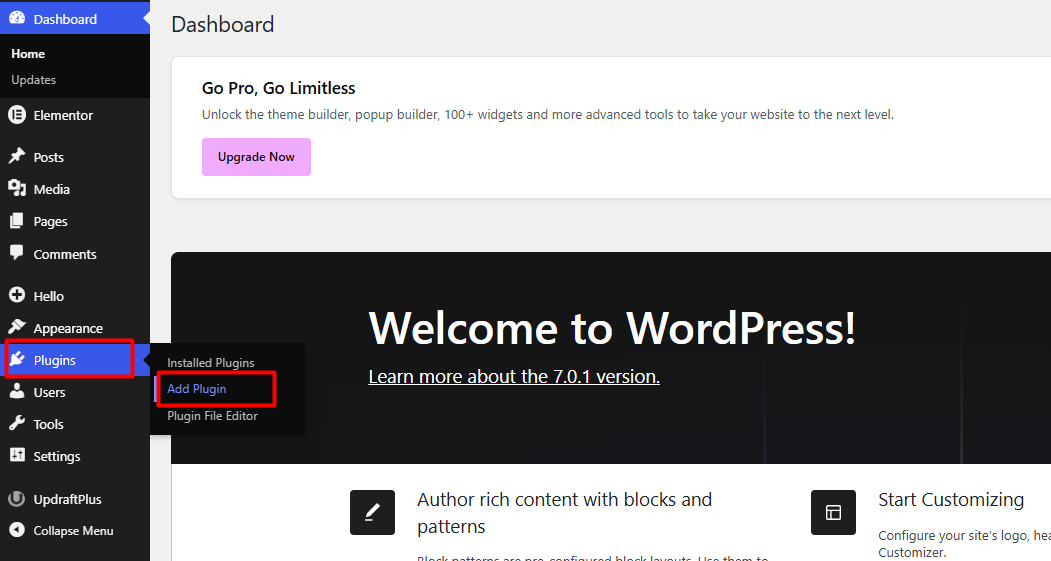
2. In the sidebar menu, navigate to Plugins and select Add New.
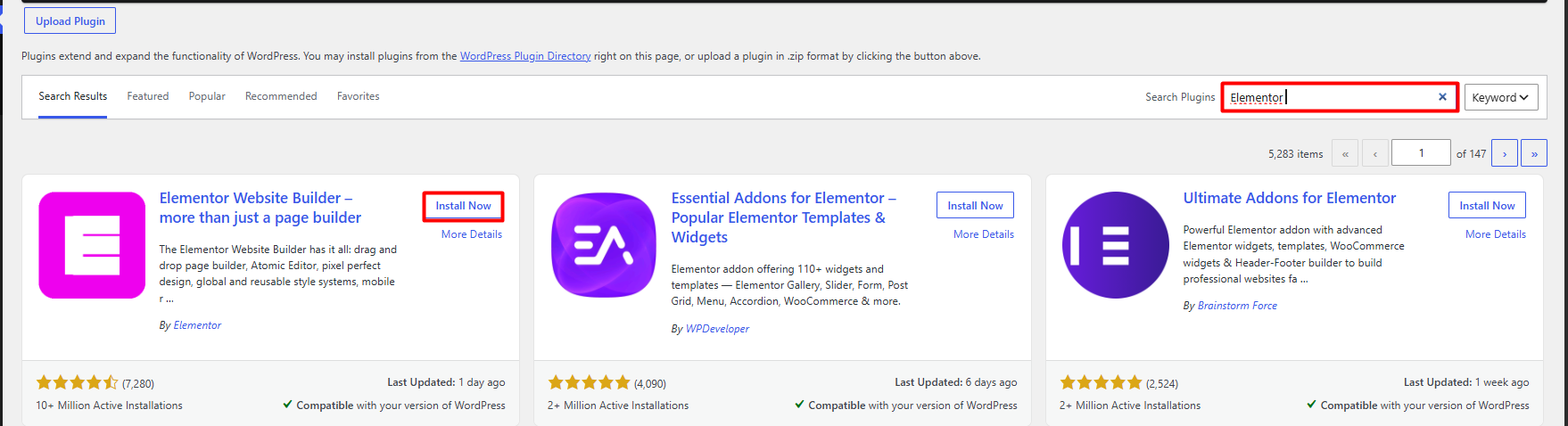
3. Enter "Elementor" in the search bar located in the upper right corner.

4. Identify the Elementor Website Builder plugin, click Install Now, and subsequently, Activate.

5. Following activation, the system will redirect you to a brief welcome configuration to align your site's initial style preferences
Notes:
• Elementor functions as a design layer over your WordPress theme. For a smooth experience, it is recommended to use themes optimized for Elementor (such as Hello Elementor).
• Since visual design implies structural changes, it is imperative to execute a complete site backup before performing significant modifications. Elementor does not integrate a native backup function; ensure you manage this through external plugins (such as UpdraftPlus or Jetpack).
• If you wish to reuse a specific design, you can save it as a template by clicking the folder icon or via the bottom options menu, which will allow you to export and import designs in different sections of your site.
