


If you have a third-party source file or a premium license, you can perform the manual integration by following this technical procedure:
1. Navigate to the administrative dashboard's sidebar and select the Plugins section.
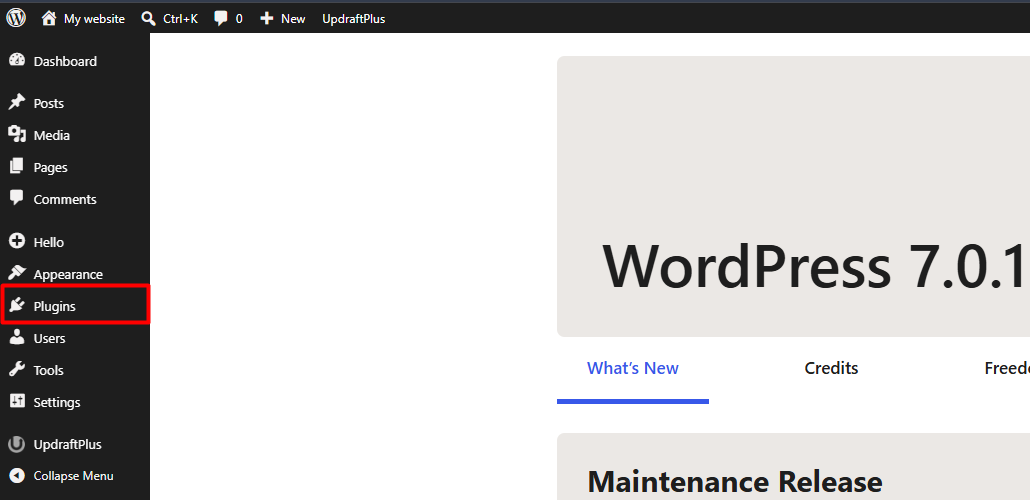
2. Click the Add New button and subsequently select the Upload Plugin option located at the top of the interface.
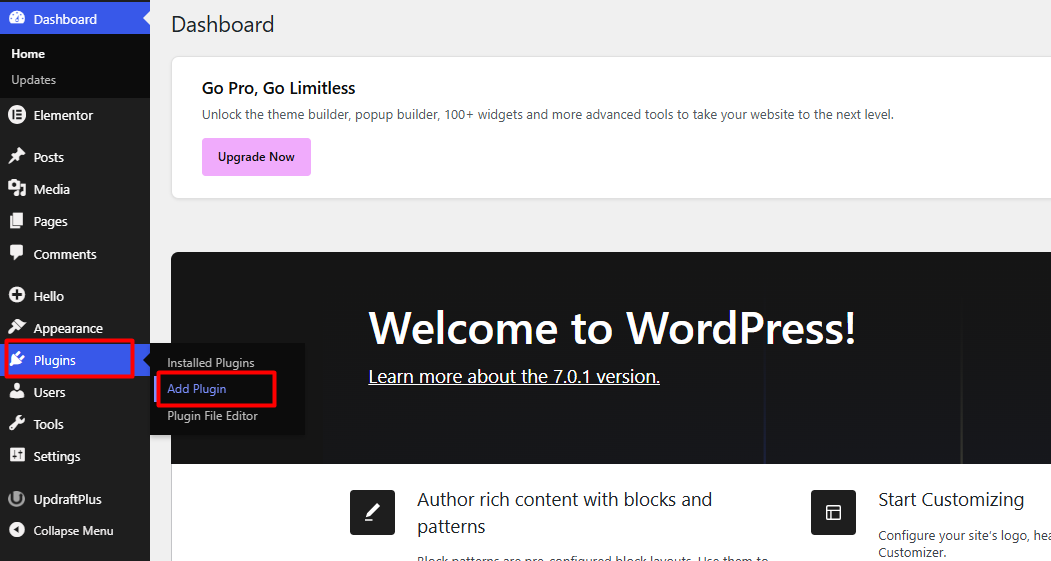
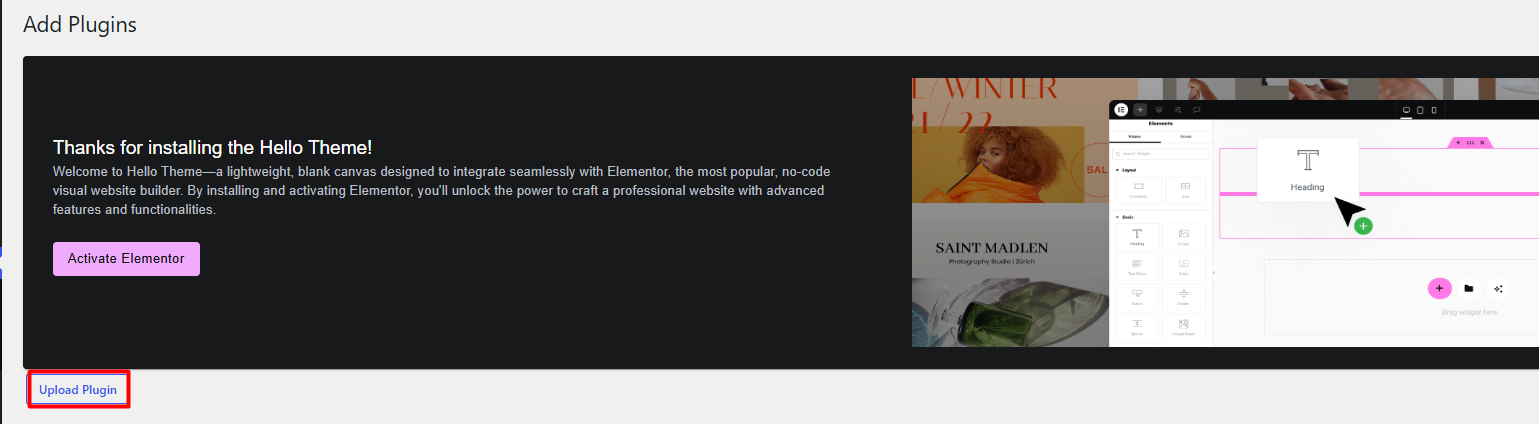
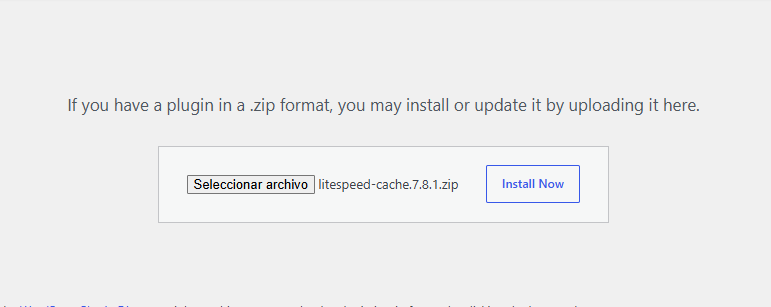
3. Click the Choose File button to locate and upload the installation package in .zip format from your workstation.

4. Click Install Now to allow the system to automatically decompress and configure the plugin files.
5. Once the process is concluded, click the Activate Plugin button to integrate the tool into your site.
Security Notes:
• Ensure that the .zip file contains only the plugin structure. If the package includes documentation or additional licenses, it will be necessary to extract it beforehand and compress only the main folder.
• In the event that the file size exceeds the upload_max_filesize directive configured on the server, we suggest performing the upload via FTP/SFTP protocol directly to the /wp-content/plugins/ directory.
• It is imperative to validate the origin of any external file before proceeding with its installation to guarantee the integrity and security of your hosting environment.
• It is recommended to perform this implementation in a staging environment before applying it to your production site to avoid compatibility conflicts.
