


If you have a premium design package or custom files, you can integrate them into your site quickly and efficiently by following these steps:
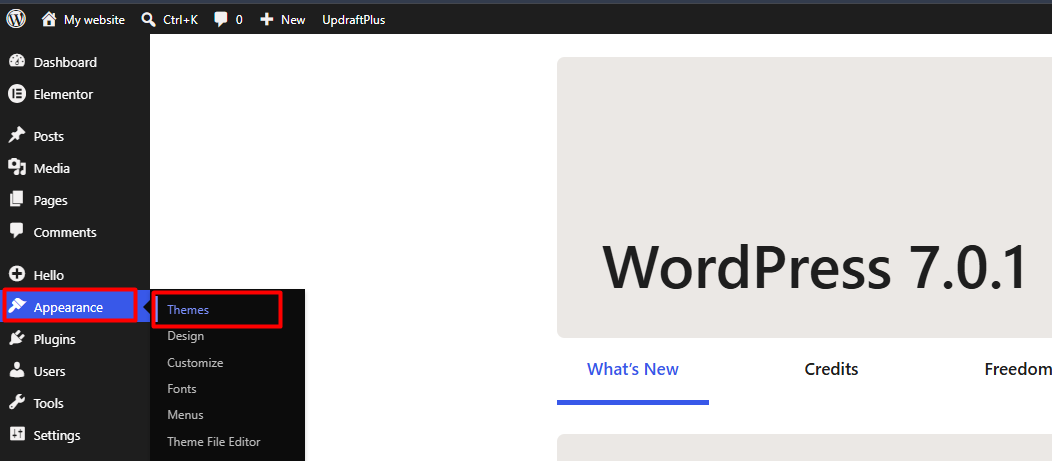
1. Log in to your administration panel, expand the Appearance menu in the sidebar, and navigate to the Themes section.
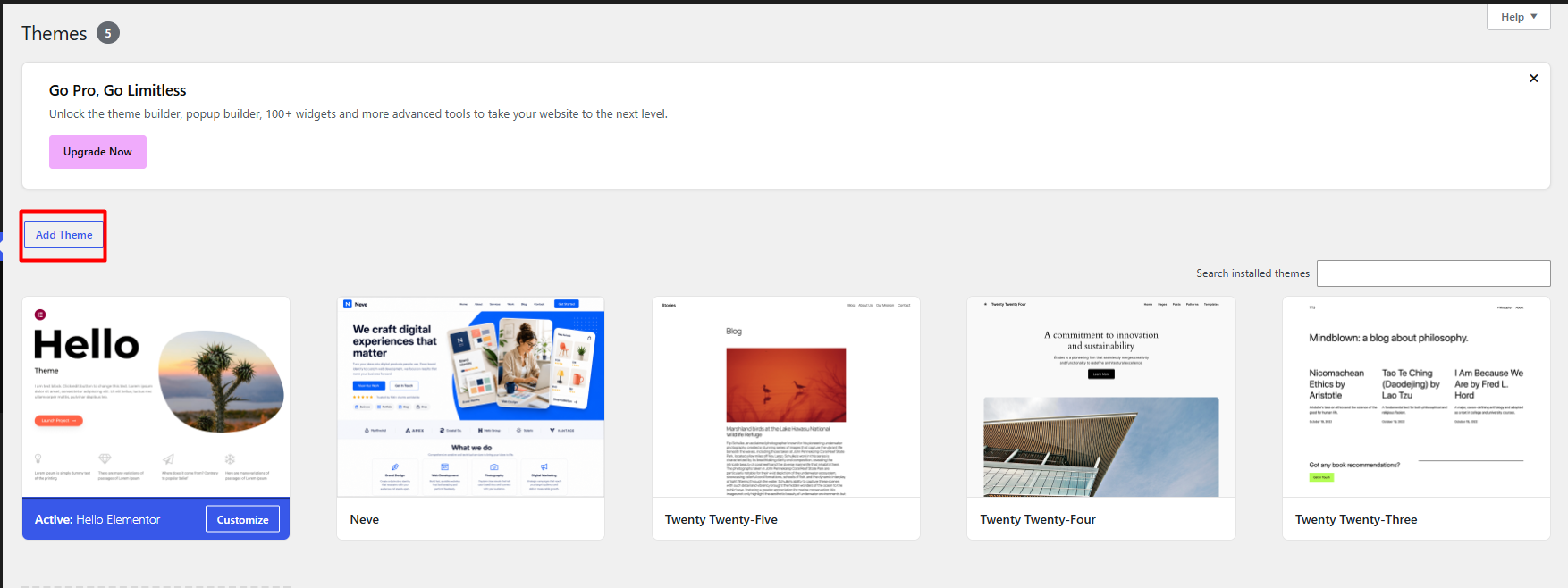
2. Click the Add New button, then select the Upload Theme option located in the top toolbar.
3. Click Choose File to locate and upload the package in .zip format from your workstation.
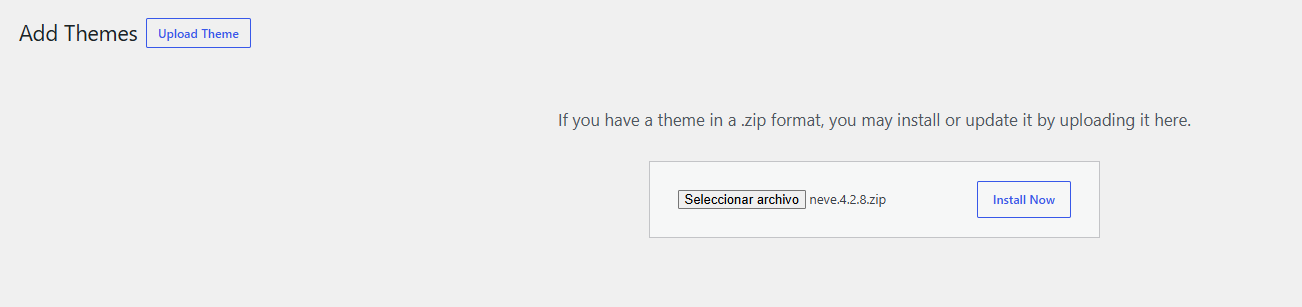
4. Install Now. The system will automatically execute the decompression and register the template on your server.
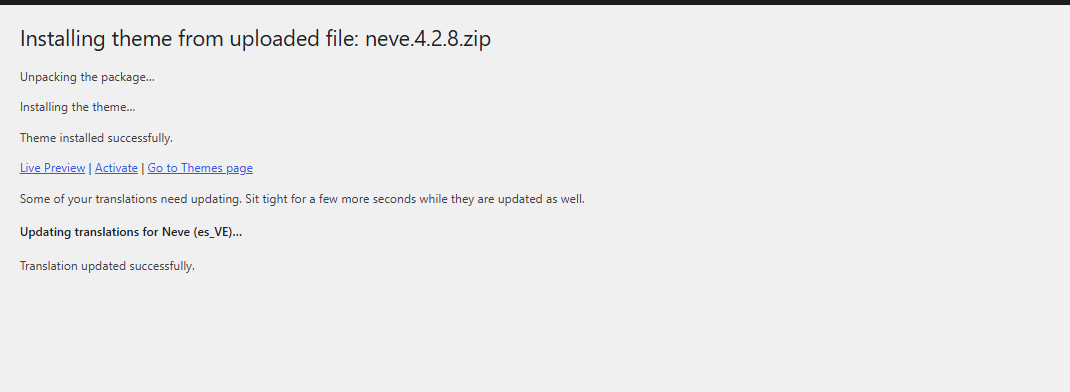
5. Once the installation process is complete, click Activate to apply the design as your site's active interface.
Notes:
• Verify that the .zip file contains exclusively the theme structure. If the package includes documentation or license files, extract the content beforehand and upload only the main template folder.
• If the file size exceeds the server's upload_max_filesize directive, we recommend performing the upload via the FTP/SFTP protocol, directing the files to the /wp-content/themes/ directory.
• For security reasons, always ensure the file source is trustworthy to avoid introducing vulnerabilities into your hosting environment.
• To mitigate potential compatibility conflicts with plugins or active configurations, we recommend performing this implementation in a staging environment before deploying it to your production site.
