


To ensure a successful implementation, you can perform the theme installation directly from the administration panel by following these steps:
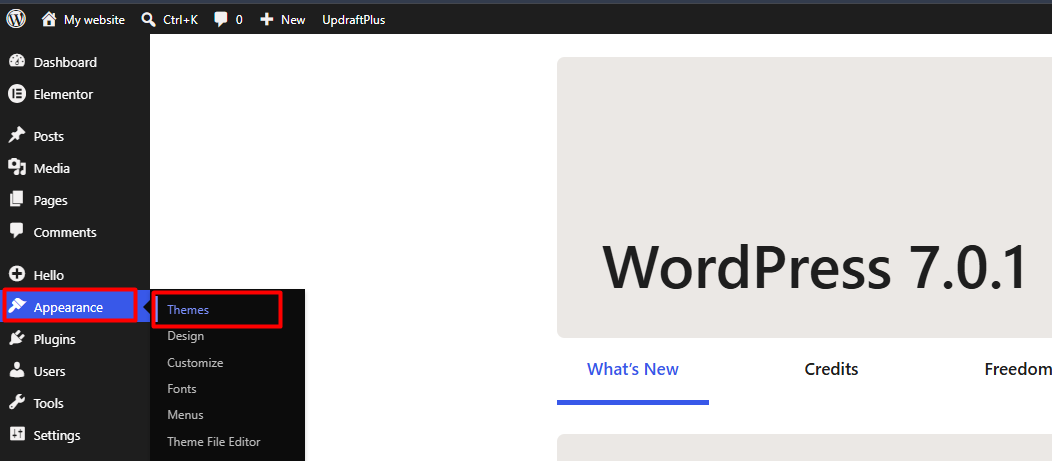
1. Go to the sidebar menu, select the Appearance section, and access the Themes tab.
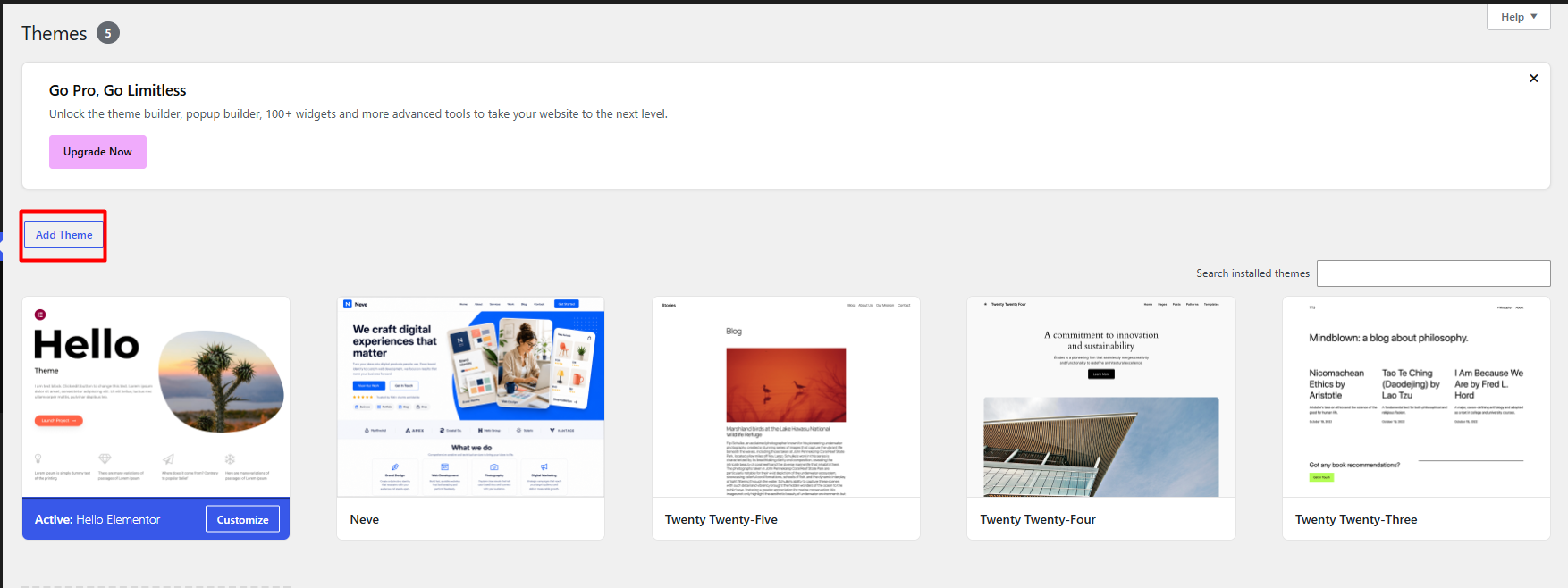
2. Click the Add New button to view the official repository.
3. You can browse through the featured and popular options, or use the search bar to locate a specific design that fits your needs.
4. We recommend using the Preview function to evaluate the appearance and structure of the design before proceeding with the installation.
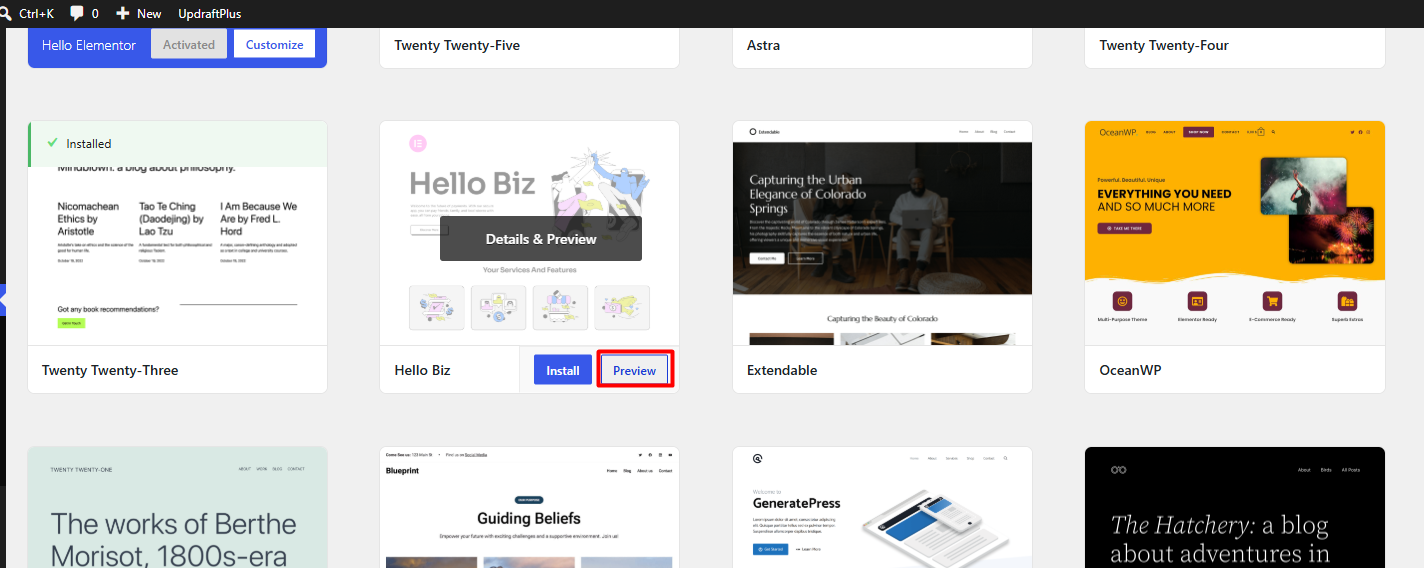
5. Finally, select Install and, once the process is complete, click Activate to apply the changes immediately to your platform.
Notes:
• Before installing multiple themes to test designs, we suggest deleting templates that are not in active use, which contributes to maintaining a clean environment and optimizing server storage consumption.
• Please note that when activating a new template, it is likely that you will need to reconfigure menus, widgets, and content areas, as the management of these sections varies according to the specific structure of each theme.
• We recommend executing this process within a testing environment or ensuring the availability of a recent backup, thereby avoiding potential configuration conflicts on the production site.
