


DMARC (Domain-based Message Authentication, Reporting, and Conformance) utiliza los resultados de SPF y DKIM para indicarle a los servidores de destino cómo proceder si un correo no supera las validaciones de seguridad.
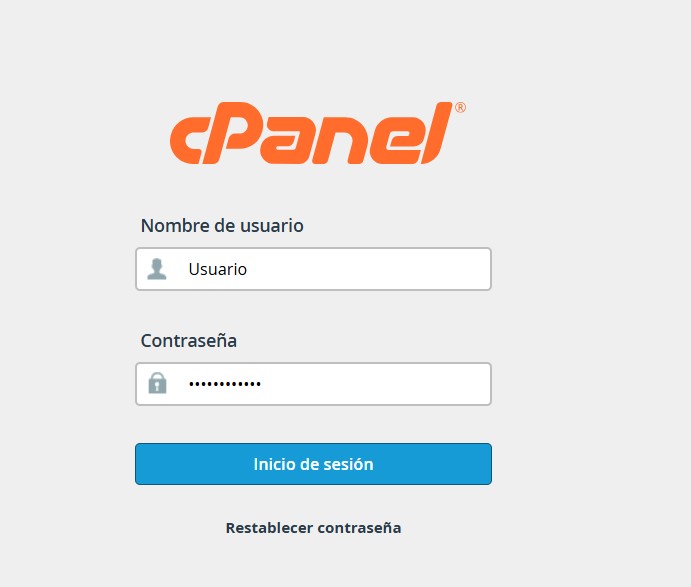
1. Inicia sesión en tu panel de control cPanel.
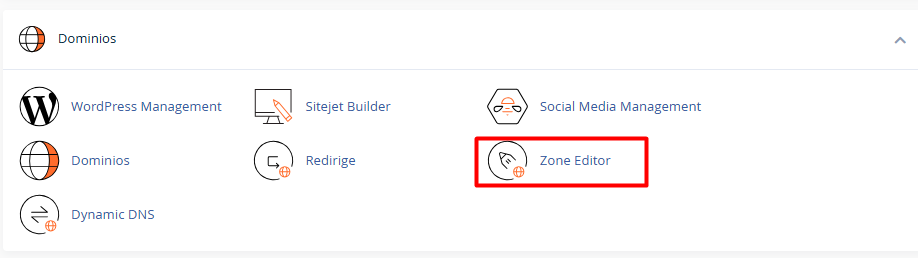
2. Desplázate hasta la sección Dominios y selecciona Zone Editor (Editor de Zona).
3. Localiza el dominio que deseas configurar en la lista y haz clic en el botón Manage (Gestionar).

4. Haz clic en + Add Record dentro del editor de zonas de cPanel.

5. Configura las variables del registro técnico:
5.1. Type (Tipo): Selecciona TXT.
5.2. Name (Nombre): Escribe obligatoriamente _dmarc (el sistema añadirá automáticamente el dominio raíz detrás).
5.3. TTL: 14400.
5.4. Value (Valor/Record): Introduce la política base recomendada para fases de implementación y monitoreo (Modo None, el cual reporta actividad sin bloquear entregas mientras realizas pruebas):
Ejemplo: v=DMARC1; p=none; rua=mailto:tu@email.com
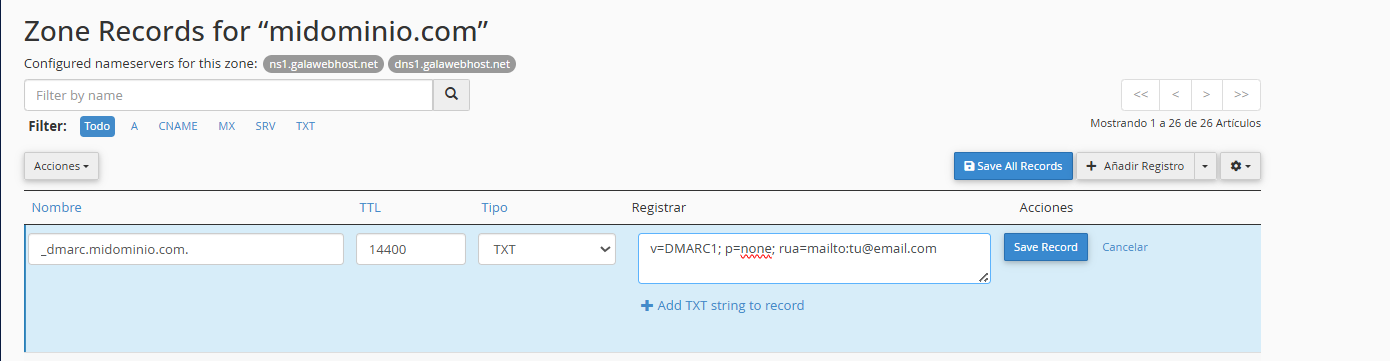
6. Haz clic en Save Record.
Notas:
• Las políticas de DMARC se configuran dentro de este registro y dictan tres niveles de acción:
• p=none: Solo recopila informes y no bloquea ningún correo. Útil para monitorear el tráfico antes de implementar la seguridad.
• p=quarantine: Envía los correos sospechosos que no pasan las pruebas de autenticación directamente a la carpeta de spam.
• p=reject: Bloquea por completo el correo para que nunca llegue al destinatario.
