


The use of SSH cryptographic keys is the ultimate security standard for remote server administration. This method allows you to access your VPS securely without relying on traditional passwords, which are often vulnerable to automated brute-force attacks.
1. Log in to your control panel using the access credentials previously sent to your email.

2. Go to the left sidebar menu, locate the SSH Keys section, and click on it.
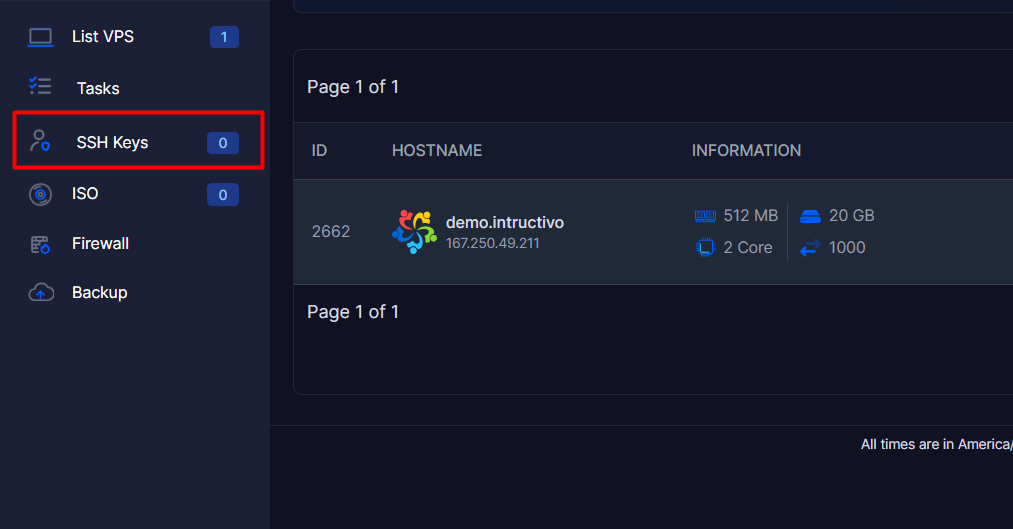
3. Within the main panel that appears, select the Add SSH Key option.
4. Fill out the required fields in the form according to the following instructions:
4.1. Name: Enter a descriptive identifier for your key (for example: Laptop-Work or Admin-Key ) so you can easily recognize it in the future.
4.2. Public Key: Paste the complete content of your previously generated public key into the wide text box (make sure it includes standard formats such as ssh-rsa or ssh-ed25519).
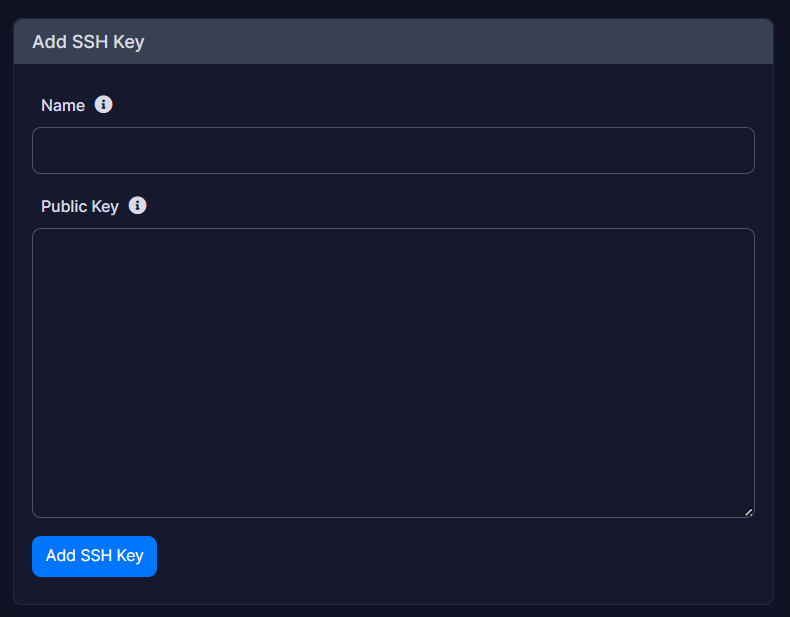
5. Click the blue "Add SSH Key" button located at the bottom to successfully register the key in the system.
Important Security Notes:
• Public key exclusivity: Make sure to enter only the content of your public key (commonly saved in files with a .pub extension). Never, under any circumstances, share, transfer, or expose your private key.
• Automation in reinstallations: Storing your public key in this centralized panel will give you the advantage of being able to select and pre-load it automatically whenever you perform an operating system reinstallation process on your VPS.
