


If you want to simplify your web server management, you can deploy a preconfigured control panel in just a few minutes by following this procedure:
1. Log in to your control panel using the credentials sent to your email.

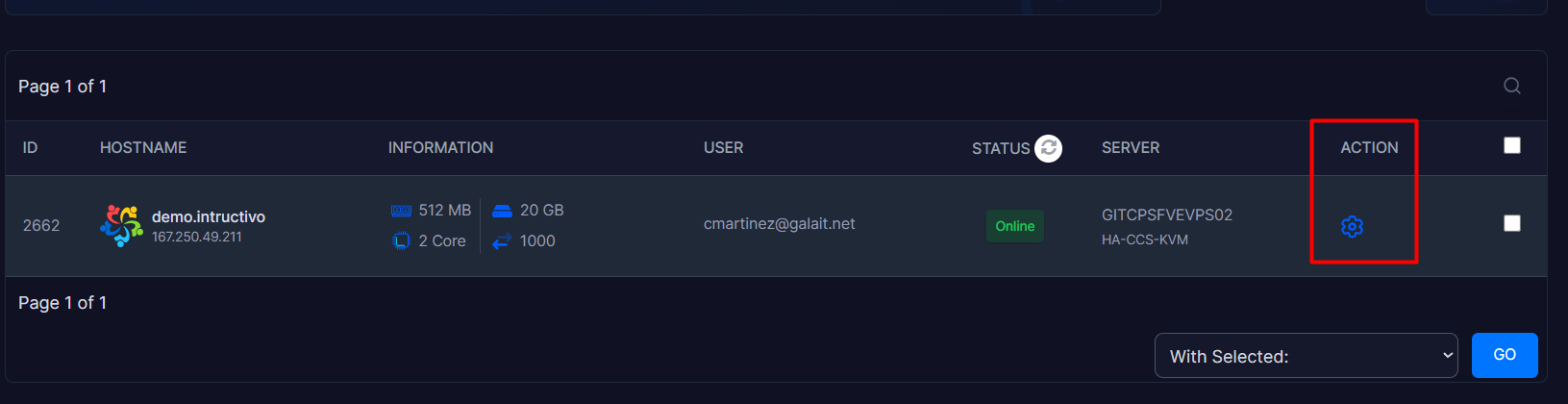
2. Inside your panel, locate the Action module and click on the gear icon to enter the administration panel.
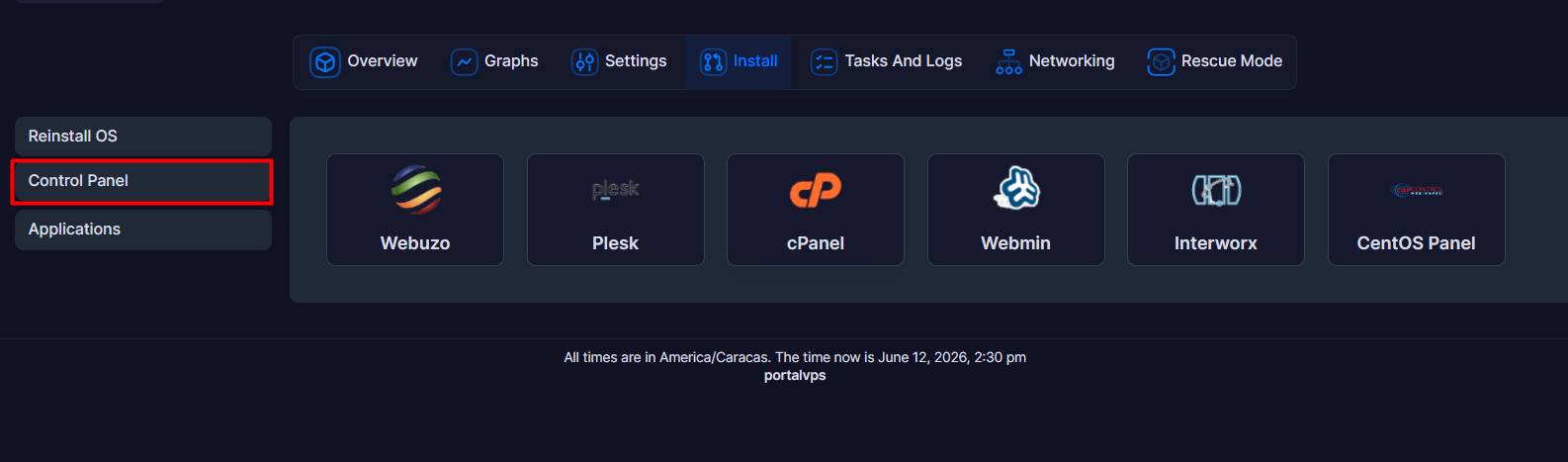
3. Locate the Install section within the displayed options menu and click on it.

4. In the second module shown (Control Panel), you can install the control panel that best suits your project.
5. The available options will appear in the displayed list. Click on the logo of the panel you require for your project.
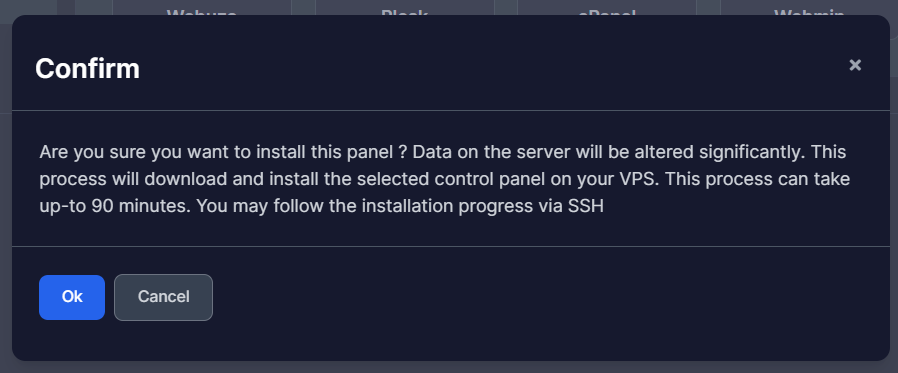
6. Confirm the installation process in the pop-up window that appears. This process may take some time; it is recommended to monitor the progress via SSH.
Note:
• This procedure may require previously formatting your server or cleaning up certain services on your current setup. Make sure to back up your configurations before making major software structural changes.
• Platforms like cPanel and Plesk require an activated commercial license to operate after the trial period. Additionally, the installation will automatically open specific administrative ports in the firewall (Example., ports 2083 or 2087 for cPanel; 8443 for Plesk).
