


1.2. Go to the directory where you want to add the item (remember that public_html is the main folder for your website).
1.3. In the top toolbar, click on the + File or + Folder buttons.
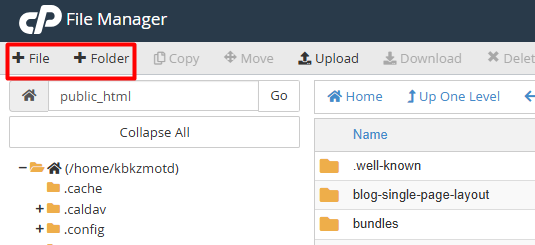
1.4. Type the name of the item in the pop-up window. If it is a file, don't forget to include its extension (for example: index.php or styles.css).
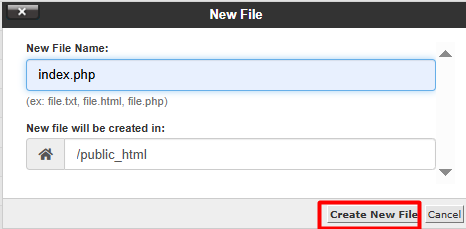
1.5. Click on Create New File and you're all set!
2.2. Find the file within your directory tree.
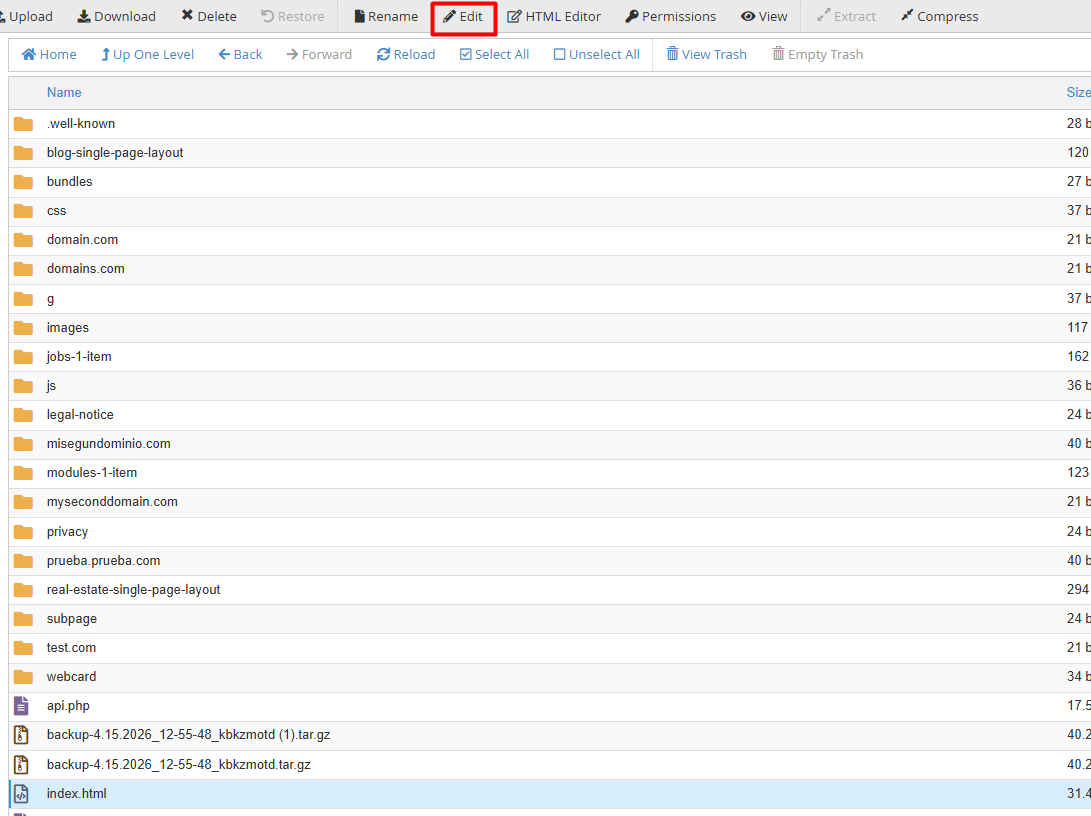
2.3. Right-click on the file and select Edit, or use the button with the same name in the top menu.
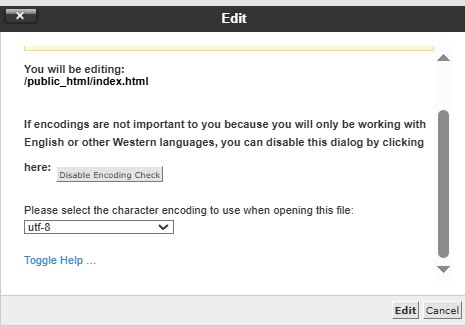
2.4. If the system asks for encoding, choose UTF-8 to avoid reading errors and press Edit.
2.5. Once you have finished editing, make sure to click Save Changes in the top right corner.
3.2. Click on the file or folder. To delete several at once, hold down the Shift key while selecting.
3.3. Use the Delete icon in the top bar or the right-click menu.
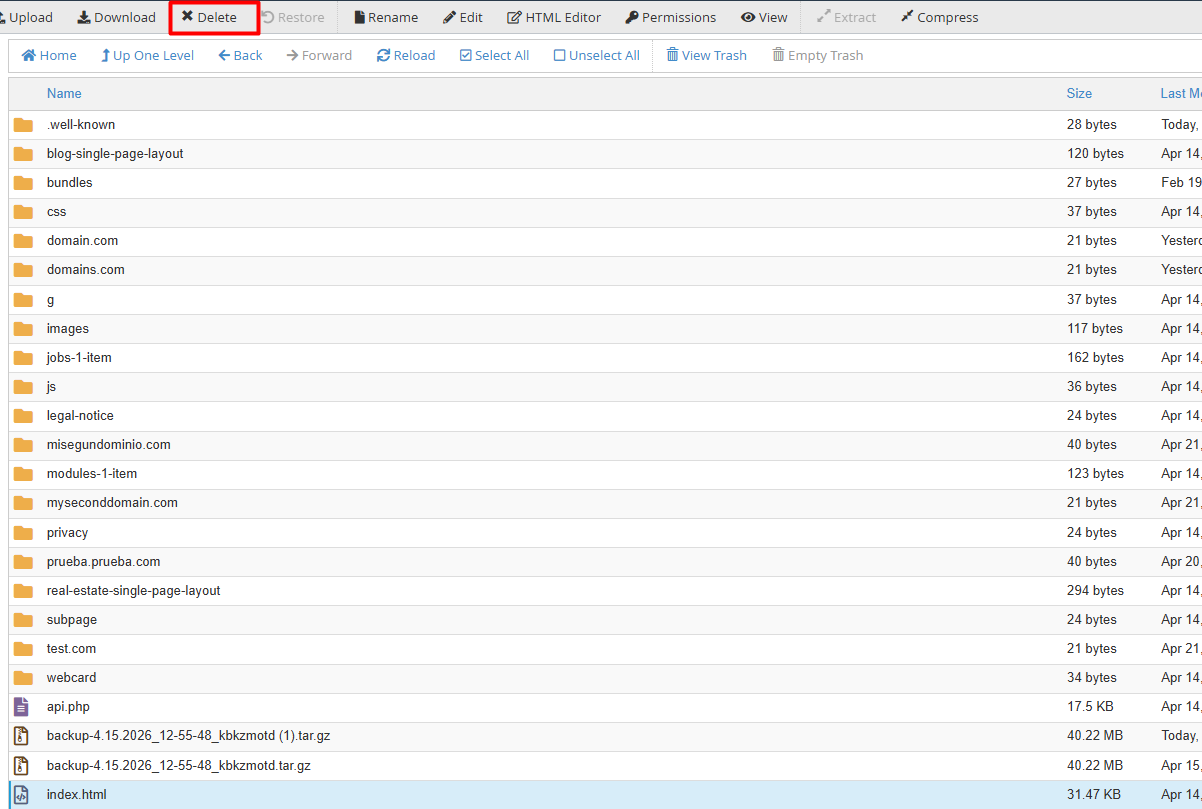
3.4. Confirm deletion:
3.5. To send it to the Trash (for later recovery), just click Confirm.
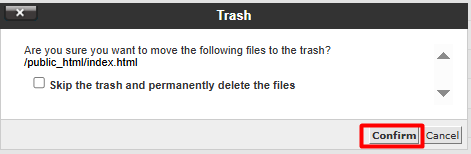
3.6. For permanent and immediate deletion, check the box "Skip the trash and permanently delete files" before confirming.
Note: For the purposes of this example, the index.php file is used as a reference. It is strongly recommended to avoid modifying or deleting this element, as it serves as the primary document and the default entry point for most server-based systems and websites.
