


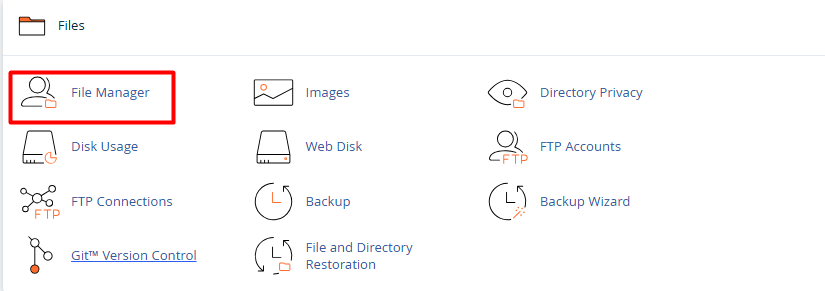
1. Once logged in, go to the Files section and select the File Manager icon.
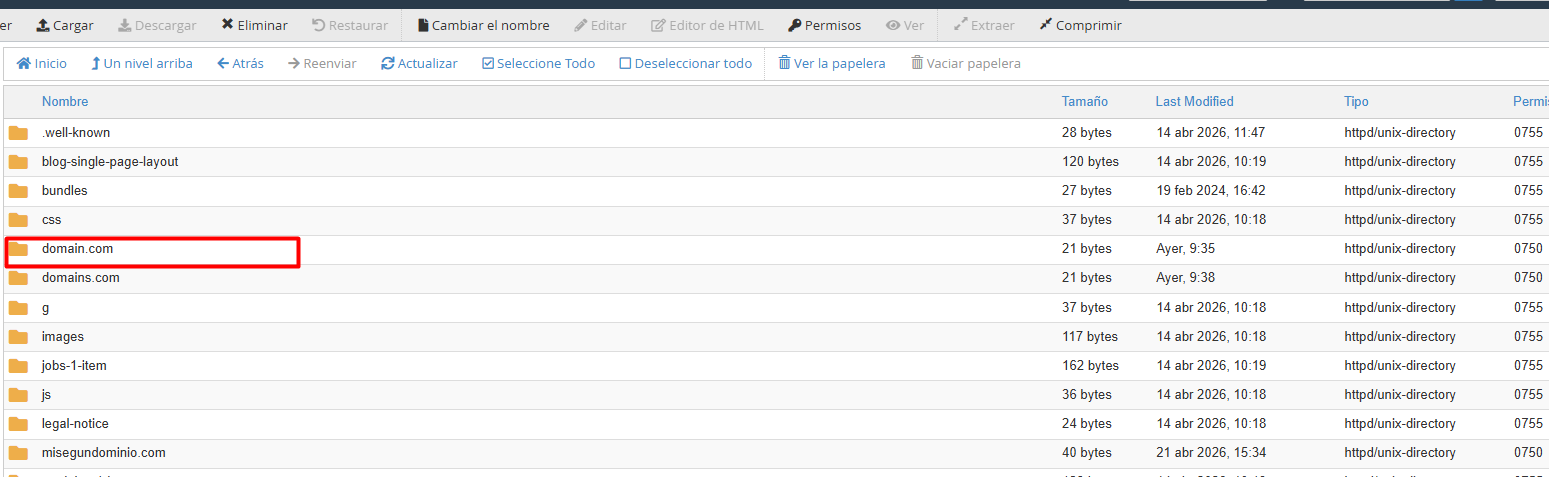
2. Navigate through the directories (usually inside the public_html folder) and select the file or folder to be updated.
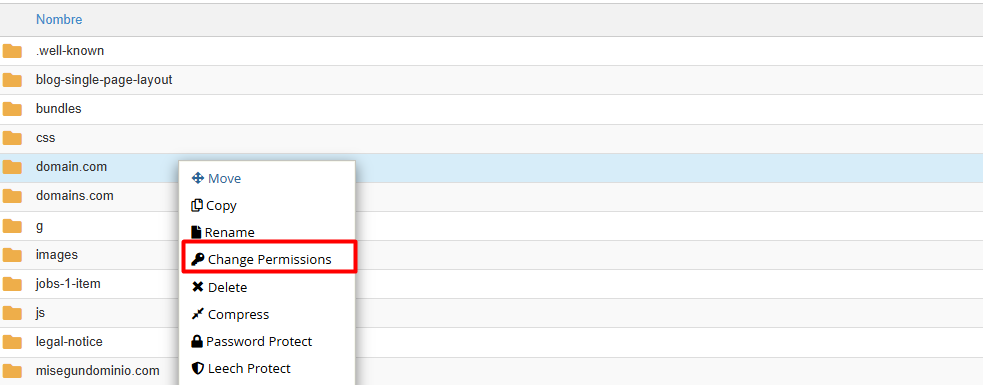
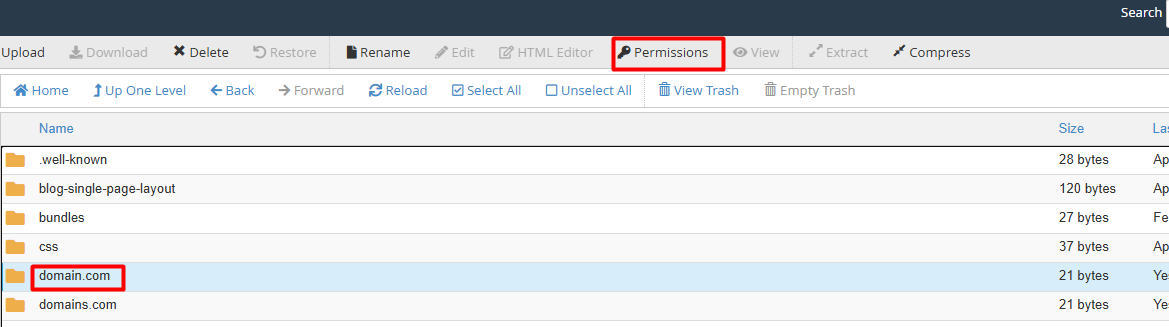
3. Access permission settings: This can be done in two ways:
3.1. Right-click the item and select Change Permissions.
3.2. Select the item and click the Permissions button in the top toolbar.
4. Define access levels: A window will appear where boxes can be checked based on the user type:
4.1. User (Owner): Personal management permissions.
4.2. Group: Access for other users on the server.
4.3. World (Everyone): Permissions for any external visitor.
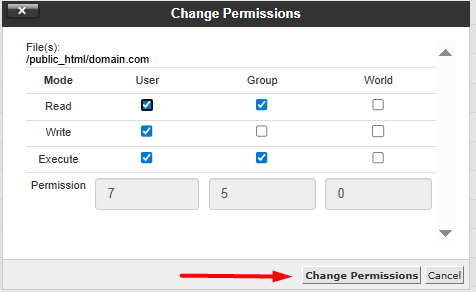
5. Once configured, click the Change Permissions button to save the new settings.
• Directories and Folders: The recommended code is 755 (allows the owner full control, while others can only read and execute).
• Individual Files: The recommended code is 644 (allows the owner to read and write, and others to read only).
• Security Warning: Avoid assigning 777 permissions. This setting grants full control to any user, posing a critical vulnerability to the server's integrity.
