


Para mantener la integridad y seguridad de su servicio, puede modificar su clave de acceso de manera rápida siguiendo este procedimiento:
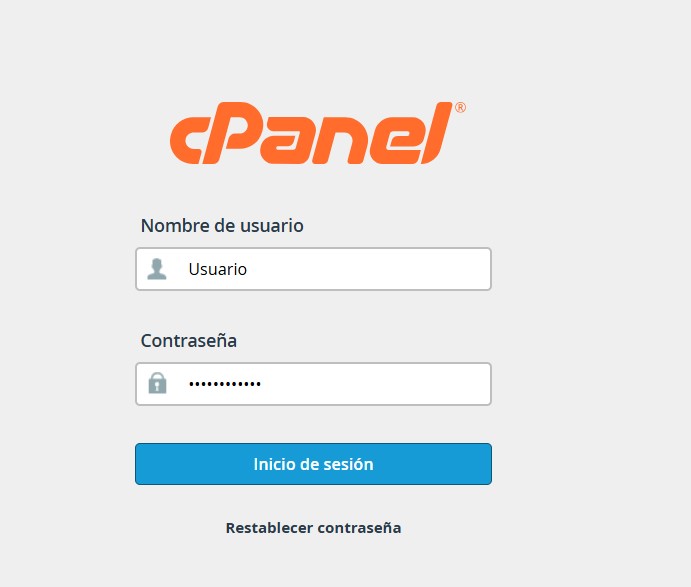
1. Acceda a su panel de control cPanel utilizando sus credenciales actuales.
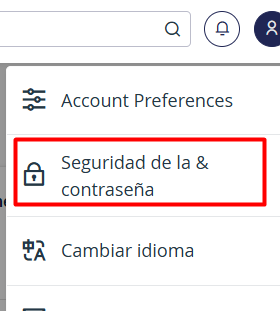
2. Diríjase a la esquina superior derecha de la interfaz y haga clic sobre el Menú de Usuario (User Menu).

3. En la lista desplegable, seleccione la opción Seguridad y contraseña (Password & Security).
4. Complete los campos solicitados en el formulario que se muestra en pantalla.
• Ingrese su contraseña actual.
• Defina su nueva clave de acceso y confírmela en el campo siguiente.
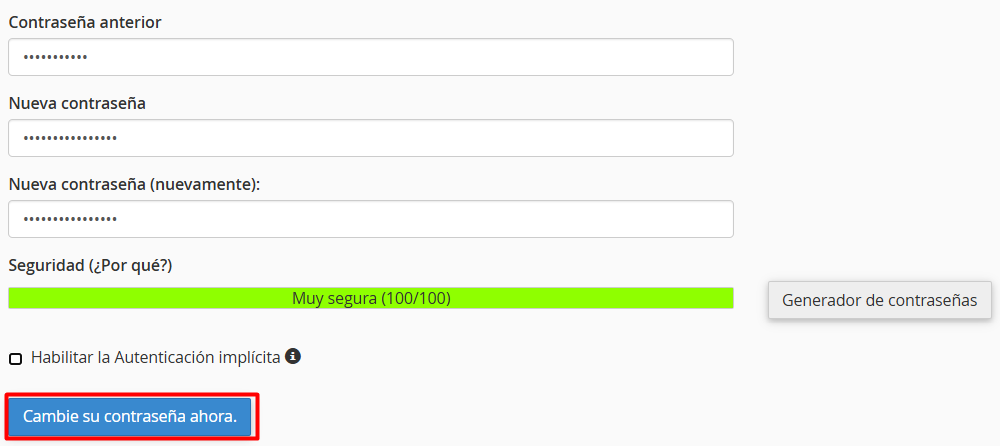
5. Haga clic en el botón ¡Cambie su contraseña ahora! para aplicar los cambios.
Nota: Para una protección mas segura, le sugerimos utilizar una contraseña alfanumérica (que combine letras mayúsculas, minúsculas, números y caracteres especiales). Evite utilizar datos personales o secuencias predecibles.
