


Es la opción ideal para la mayoría de los usuarios, ya que utiliza herramientas que automatizan el proceso técnico en pocos segundos.
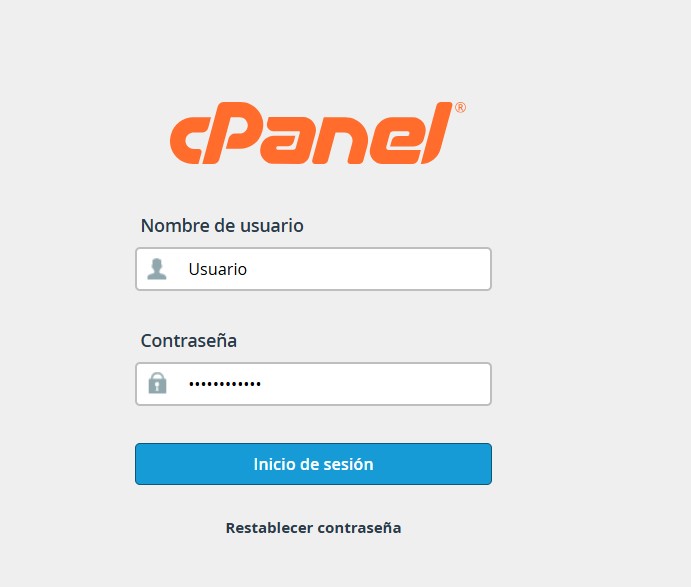
1. Ingresa a tu cuenta de cPanel.
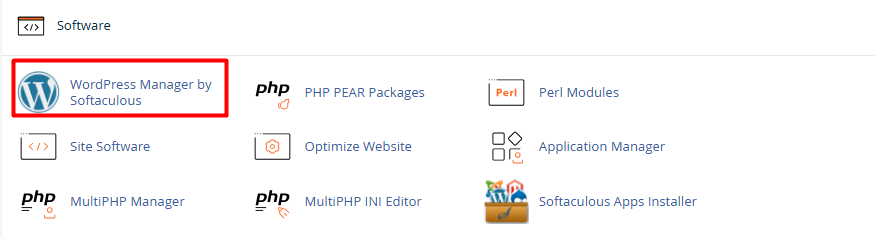
2. En la sección de "Software", busca y selecciona WordPress Manager by Softaculous, haz click y selecciona instalar (install)
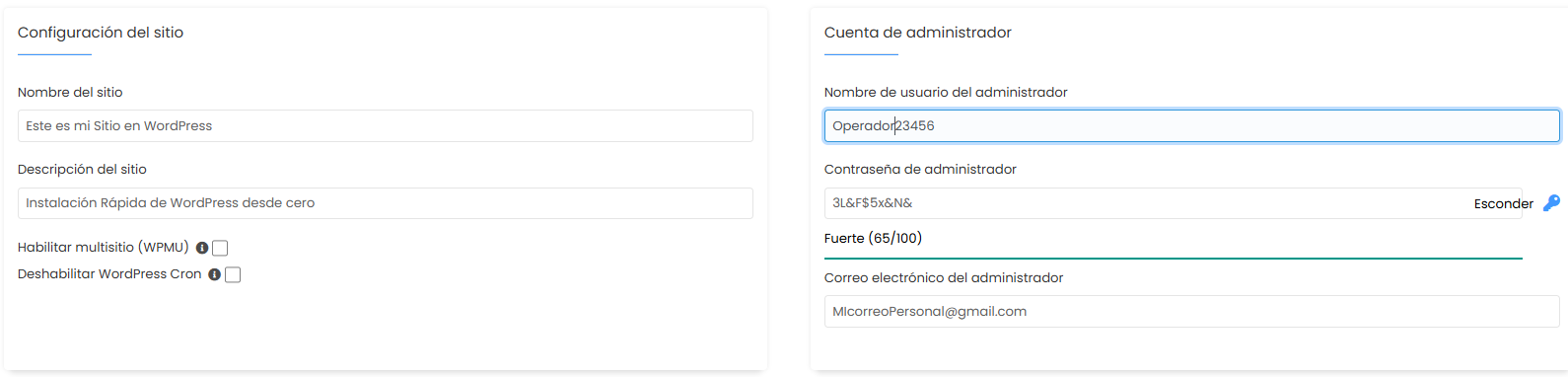
3.1. Configuración del Software:
• Seleccione el protocolo: Elige obligatoriamente https:// para garantizar que tu sitio sea seguro.
• Dominio: Despliega la lista y selecciona el nombre de dominio donde quieres que resida tu web.
• Directorio: Déjalo vacío. Si escribes algo aquí (por ejemplo, "/web"), los usuarios tendrán que escribir tudominio.com para verte. Al dejarlo vacío, tu sitio cargará directamente en la raíz.
• Versión: Selecciona la versión del tema de WordPress que vas a instalar (A menos que requieras una anterior por motivos puntuales , recomendamos siempre usar la mas actual)

3.2 Configuración del Sitio:
Nombre y Descripción: Dale un título a tu proyecto (ej: "Mi Blog de Viajes") y una breve descripción. No te preocupes, podrás cambiar esto más tarde desde WordPress.
3.3. Cuenta de Administrador (Seguridad Crítica):
• Usuario de administrador: Por seguridad, nunca uses "admin". Elige un nombre personalizado difícil de adivinar.
• Contraseña de administrador: Utiliza una combinación de letras, números y símbolos. Usa el icono de la "llave" para generar una contraseña fuerte.
• Email del administrador: Asegúrate de que sea un correo que revises con frecuencia; aquí recibirás las notificaciones de recuperación y actualizaciones.
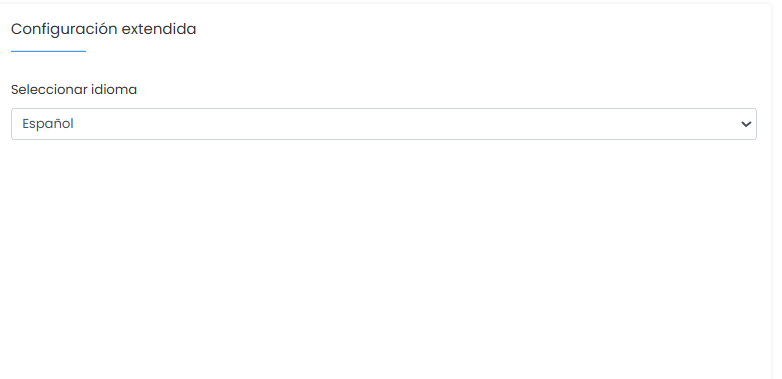
3.4 Selección de Idioma:
• Busca y selecciona Spanish (o tu idioma de preferencia) para que el panel de control de tu WordPress sea fácil de navegar.
4. Selecciona y haz click en el botón instalar para finalizar
Notas de Seguridad :
• Identidad de correo electrónico: Se recomienda evitar el uso de direcciones vinculadas a dominios corporativos específicos para esta función; es preferible utilizar una cuenta de correo personal.
• Gestión de la instalación: Para la recepción de los detalles técnicos de instalación, sugerimos emplear el correo electrónico del administrador de la cuenta o, en su defecto, el de su desarrollador web responsable.
• Configuraciones de seguridad: Salvo que se cuente con conocimientos avanzados en gestión de bases de datos, recomendamos mantener los parámetros de seguridad predeterminados por el sistema.
